How to enable your settings for Devyce within Microsoft Edge
Last updated: May 6, 2026
Please follow the steps below to ensure that microphone, sound, and notification permissions are enabled in Microsoft Edge.
Open Microsoft Edge.
Click the three dots (⋯) in the top-right corner of the browser > Select Settings
Select - Privacy, search and Services
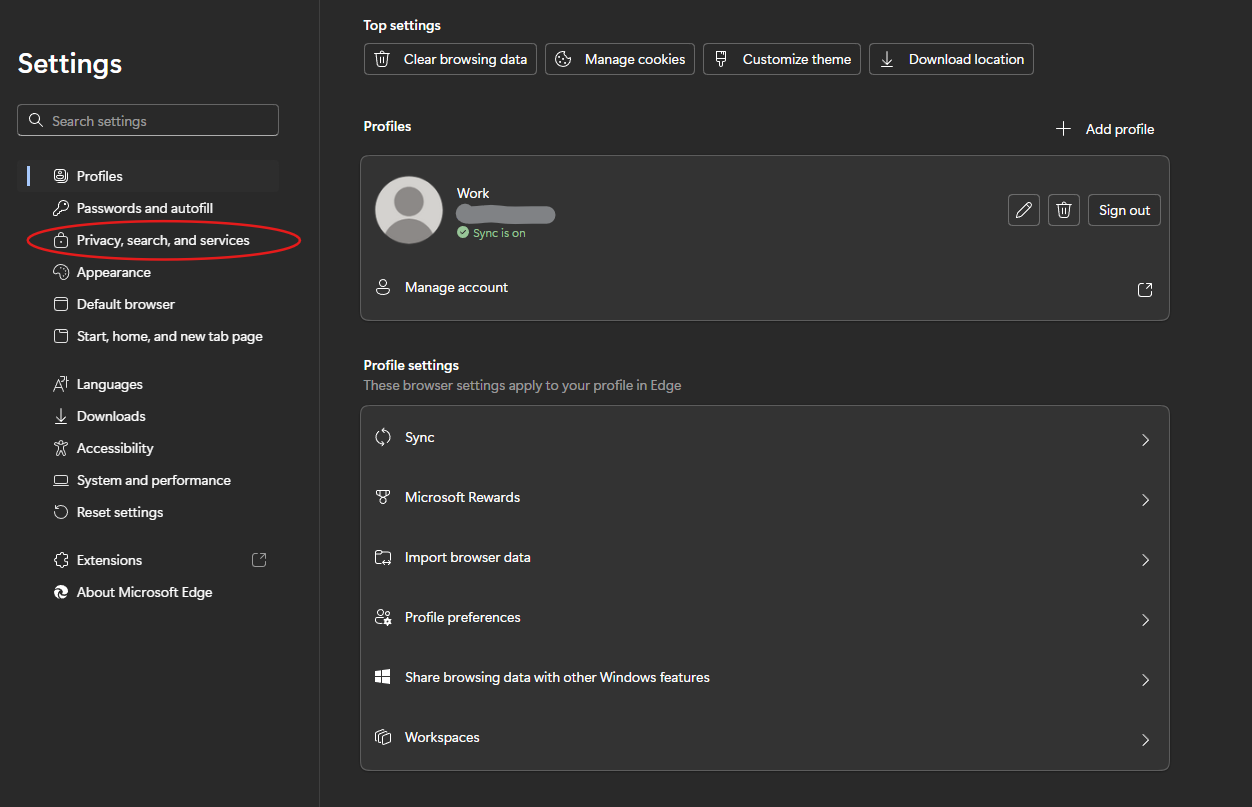
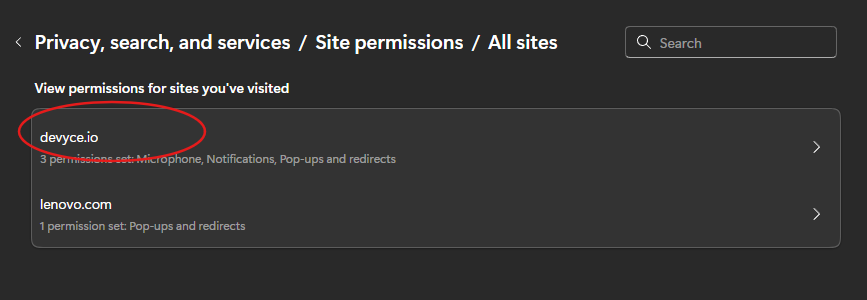
Then click > Site Permissions > All Sites > And Devyce.io should be listed
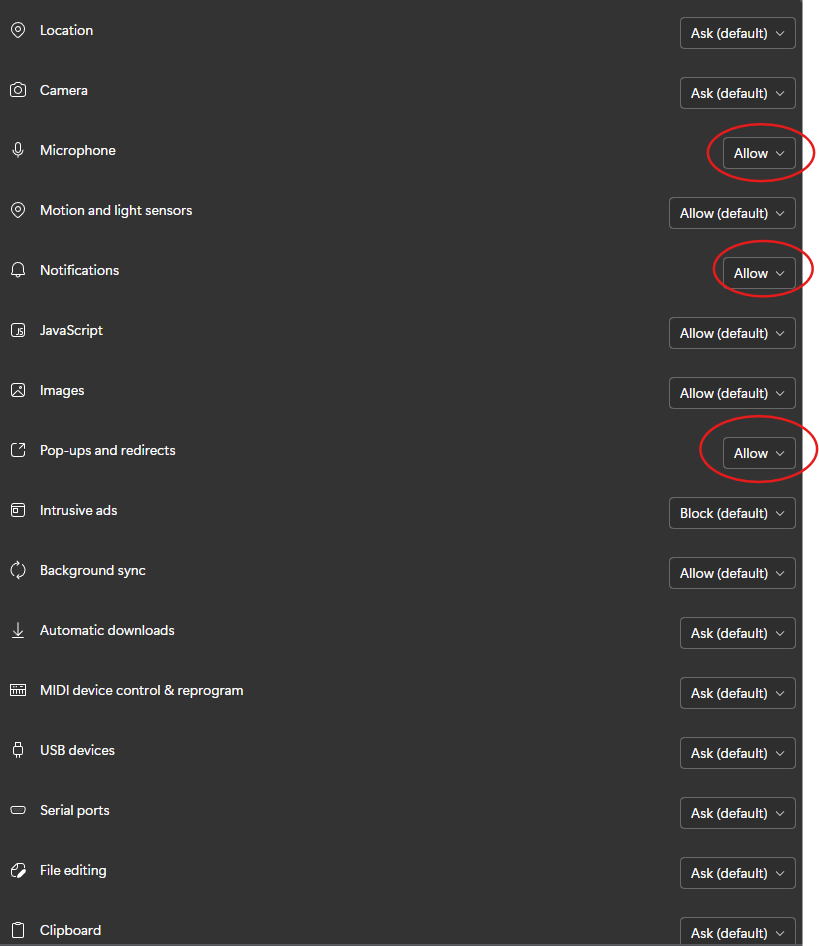
You should then get a selection of site settings, please ensure the below are set to 'Allow'
Once this is updated, please navigate back to your Softphone, and ensure you click the refresh button at the top of the page

This will then apply the changes you have made to your Softphone