Chrome Extension Blacklist
Last updated: August 26, 2026
Disable all features of the Devyce Chrome Extension on blacklisted pages.
Step 1
Copy the url of the page you want to disable using the web browser address bar

Step 2
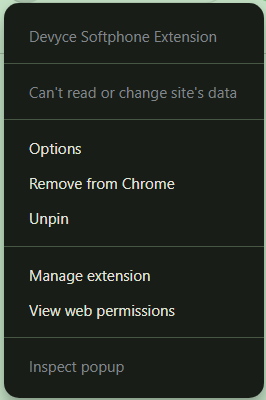
Go to the options page by right clicking the extension icon > Options
Step 3
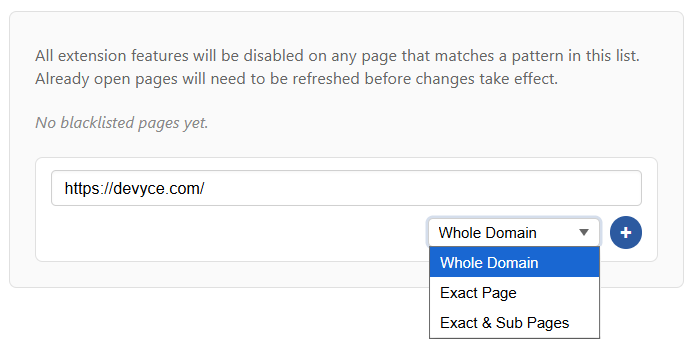
Input the copied url and choose the match type. When finished click the + icon to create the entry.
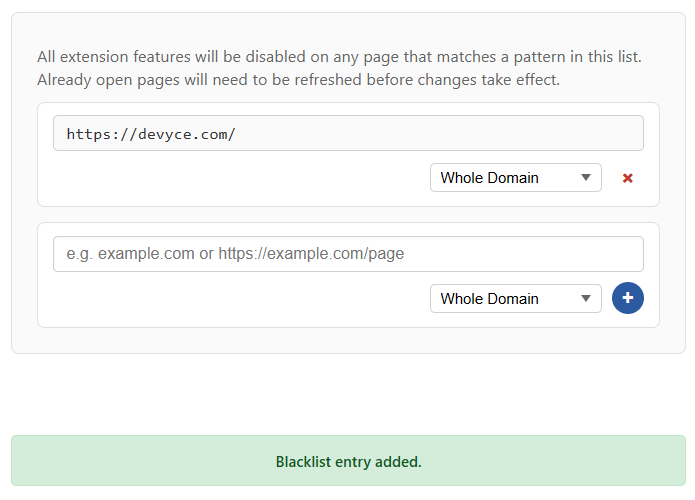
Added entries appear as so. You cannot update the URL of a rule but can update the match pattern.
Step 4
Refresh the browser page for the changes to take effect.
Testing
When the blacklist is active, TEL links will not have Devyce popovers and the extension modal will not appear during calls.