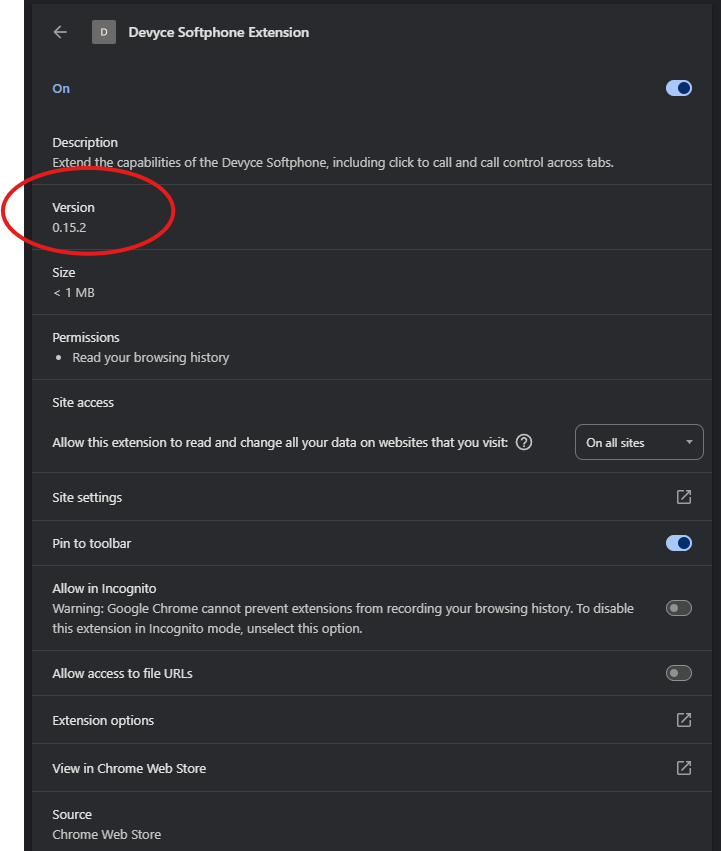
How to check what Devyce Version you are using, for you Softphone
Last updated: September 16, 2025
Open up your brower, and navigate to your Devyce Extension

You may have the Devyce extension pinned, if not you can click on the puzzle piece and see it there - if you do not have this already please download it from the chrome store https://chromewebstore.google.com/search/Devyce%20Softphone%20Extension
You can then either right click on the extension or click on the 3 dots next to the extension if clicking through the Puzzle piece.
And then click on Manage extension
Here it will then open up a new tab, where you can see the current version you are using