How to ensure you are on the latest version of Google Chrome
Last updated: September 25, 2025
Chrome often updates itself, however sometimes it doesn't and can cause some issues for your Softphone.
To update this, navigate to your Chrome Browser and click on the three dots to open up additional menu options
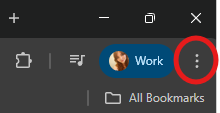
Go to the settings options from this drop down or alternatively go to chrome://settings/help
Within the toolbar on the left hand side of the page, ensure you are in 'About Chrome'
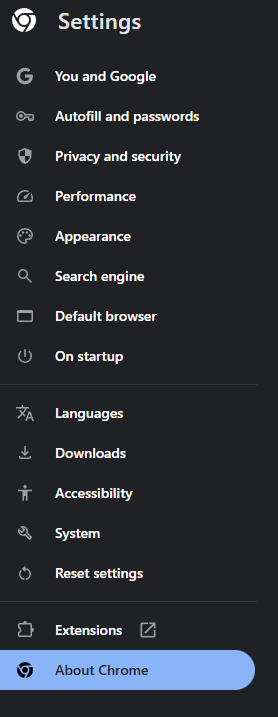
This will then automatically start updating to the latest version of Chrome, and then give you the option to relaunch
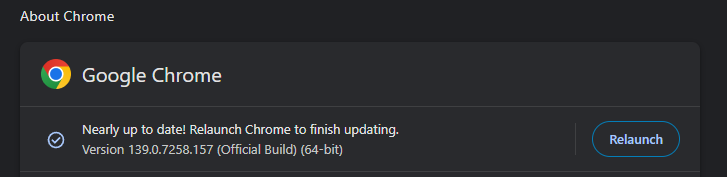
Relaunching Chrome will shut chrome down, so ensure you have anything saved before doing so, then once you are ready click relaunch and the system will update with the newest version.
This should then reopen the tabs you had and you can continue to work as normal