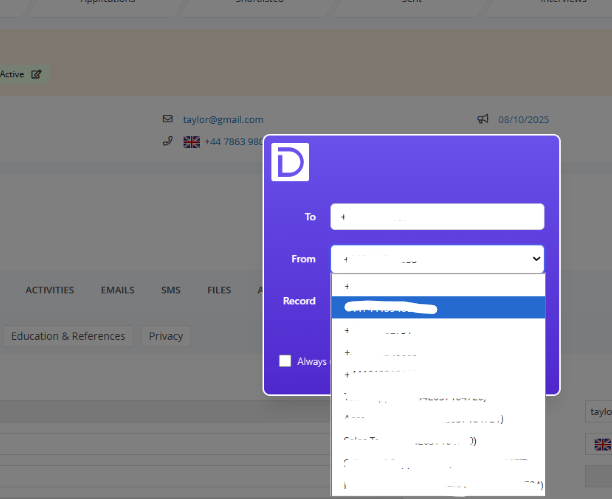
How to override the call modal, allowing you to select outbound call ID's on every call
Last updated: October 15, 2025
Often your outbound ID will show as your direct dial, or a default number you have set (you can see how to do this here: https://devyce-knowledge-base.help.usepylon.com/articles/4598104469-setting-a-default-phone-number-and-default-sms-numbersoft-phone)
However sometimes, if you are making multiple calls to different locations it may be useful to be able to update your outbound ID for every call you make without having to go into your softphone settings each time.
You can change your settings to allow this by right clicking on your Devyce Extension and clicking on 'manage extension'
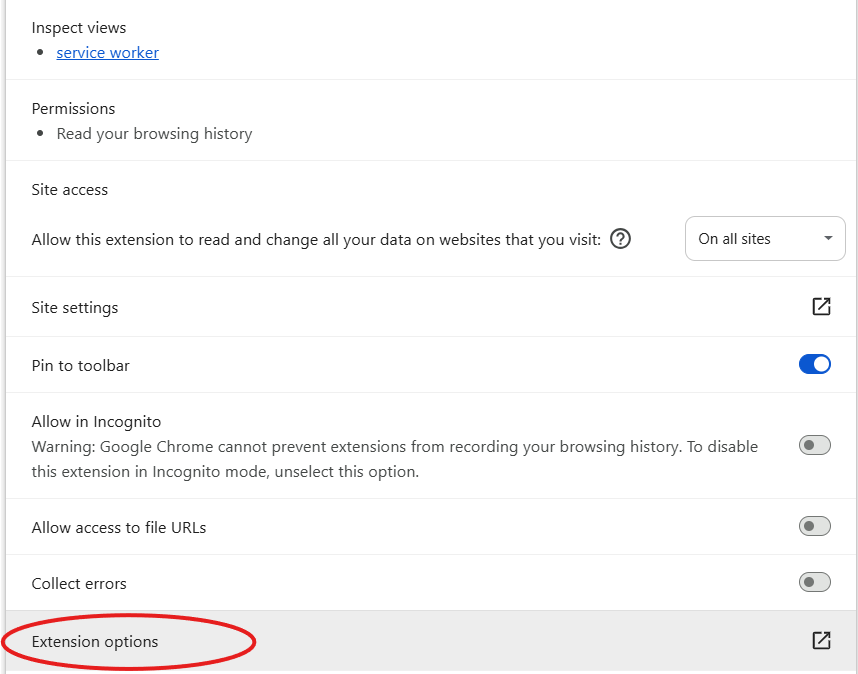
This will then open a new tab, where you can click on 'Extension Options'
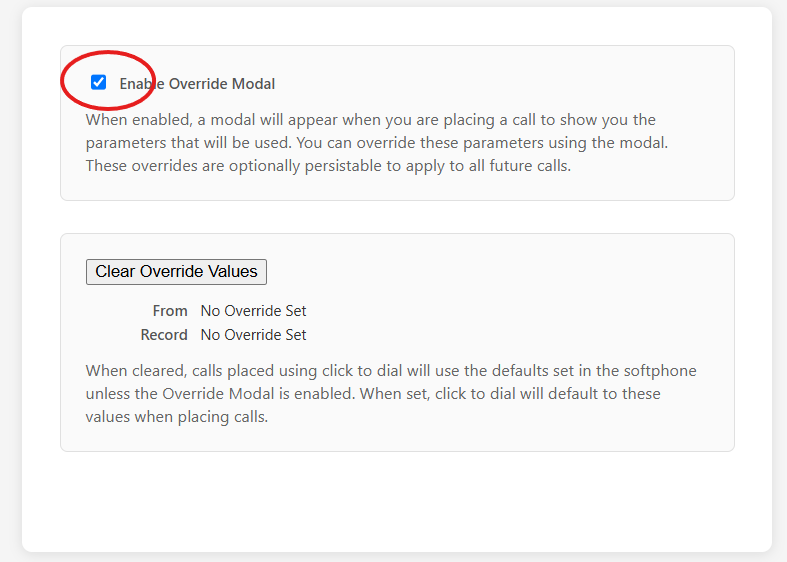
Clicking this will then open up a new information box, like below - here you can click the 'Enable Override Modal' box
This will then provide you with a call modal like this, where you can choose from the dropdown for your outbound ID for a call