How To Set A Custom Ring Time For Direct Dials - Softphone
Last updated: February 4, 2026
The below guide shows individual users how to set the time an incoming call will ring for before redirecting to a call forward or going to voicemail based on the individuals settings.
Step One:
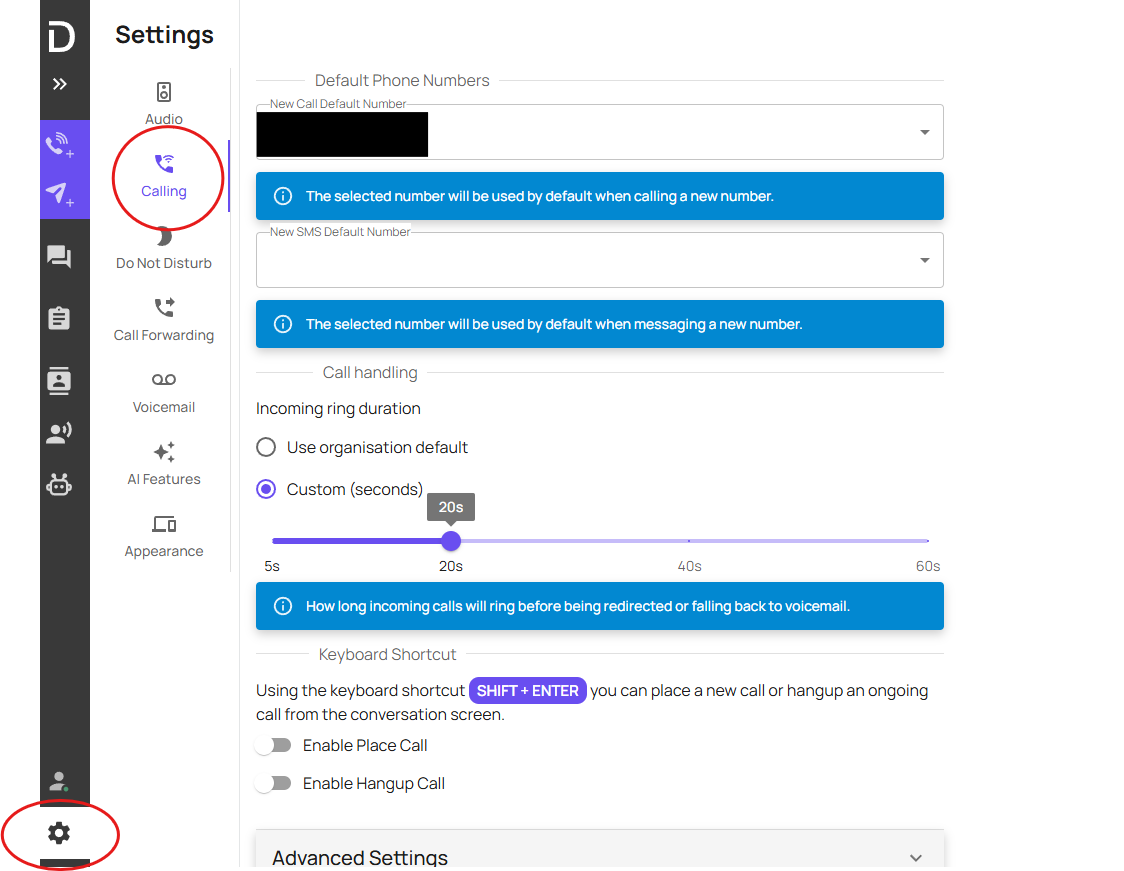
Head to the Softphone>Setting>Calling.
Step Two:
Select 'Custom' and adjust the scale to the preferred ring time.
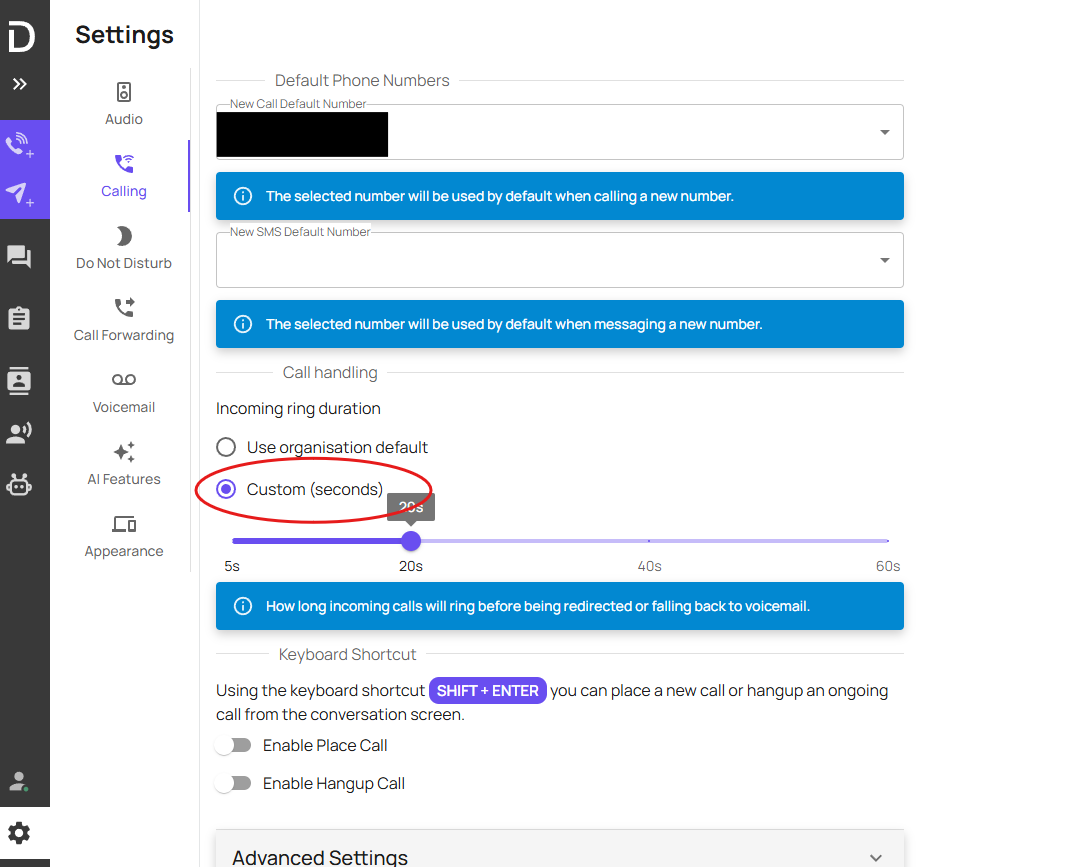
The custom ring time is now set