Setting A Default Phone Number and Default SMS number - Soft Phone
Last updated: September 3, 2025
You can set a your default number in the Softphone Settings.
Go to the Softphone https://softphone.devyce.io/
Click on the Settings icon in the sidebar and then click on 'Calling' or go to https://softphone.devyce.io/settings/calling
Select the number you would like to set as your default from the 'New Call Default Number' dropdown
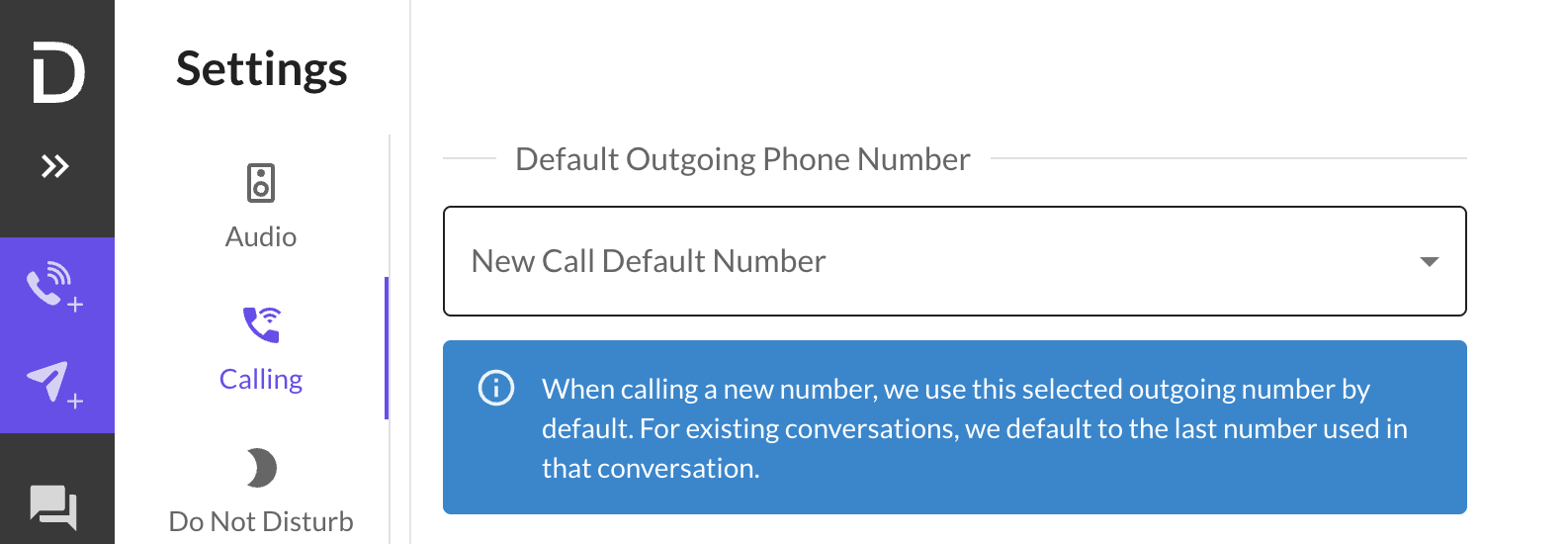
This will then highlight this number as your default outbound contact, you can go back into the settings and change this at any time.
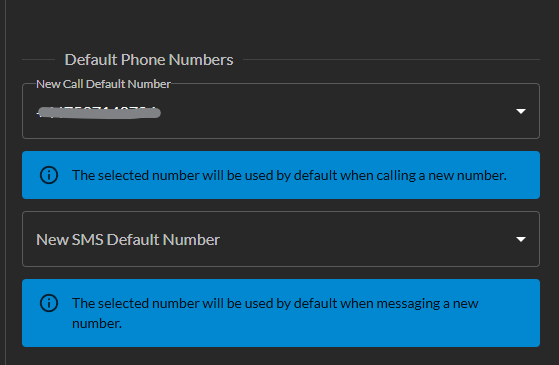
You can also set a default SMS number, this means that when you make a call it automatically displays your default phone number, but would use your default SMS for when sending messages
This is really helpful if you're wanting to call people with a landline, as landline numbers don't always allow SMS
If you experience any issues with this please reach out to our technical support team.