Turning on Call Recording and Summarization
Last updated: May 21, 2025
Call recording and summaries can be turned on at a company level with the settings tab on the call history screen.
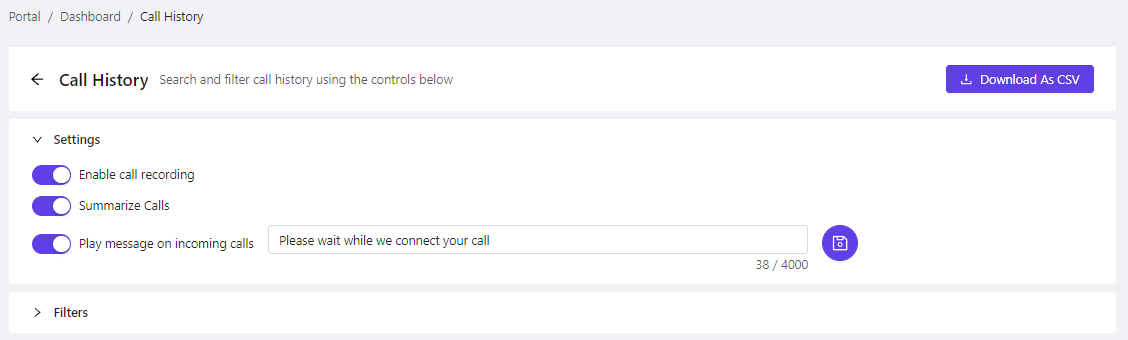
These settings apply to all users across the company.
You can change this setting for individual users via the Mobile App Users tab
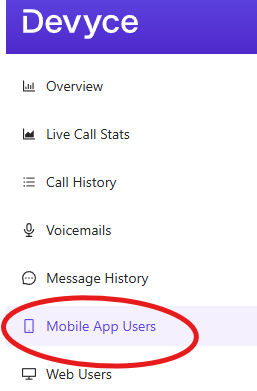
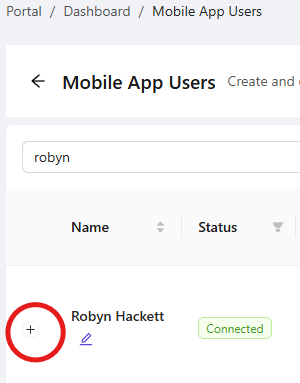
You can then search for the user you wish to edit, and click on the plus sign next to their name to open a dropdown of extra settings.
This drop down opens up settings options such as always disabling call recordings, and deleting recordings after calls are made.
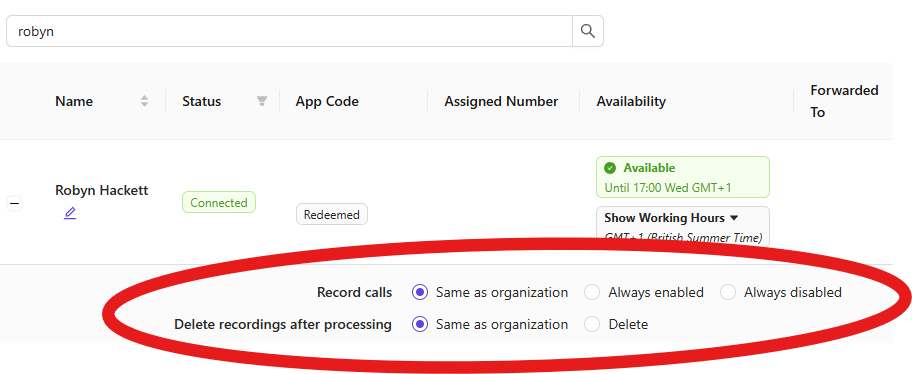
Selecting Same as Organisation means that the individual is set to the company settings you chose in the company level settings in call history.
Please note: If call recordings aren't enabled, it won't be possible to summarise calls; if you need more fine grained control, speak to your account manager or contact our support team.