How to setup your Festive out of office - Calling Groups
Last updated: December 9, 2025
As your users log off for the festive break, you can easily change your VM to a Festive one detailing your opening times this year
Make sure to revert these settings upon your return to avoid missing calls in the New Year
Navigate to your portal https://portal.devyce.io/dashboard and click on 'Calling Groups' in the left hand side toolbar
Here you can see your current mainline calling groups, attached to your mainline numbers, clicking 'Edit' will allow you to update your VM settings
This will open up a new tab, clicking on unanswered calls, will bring up the below page
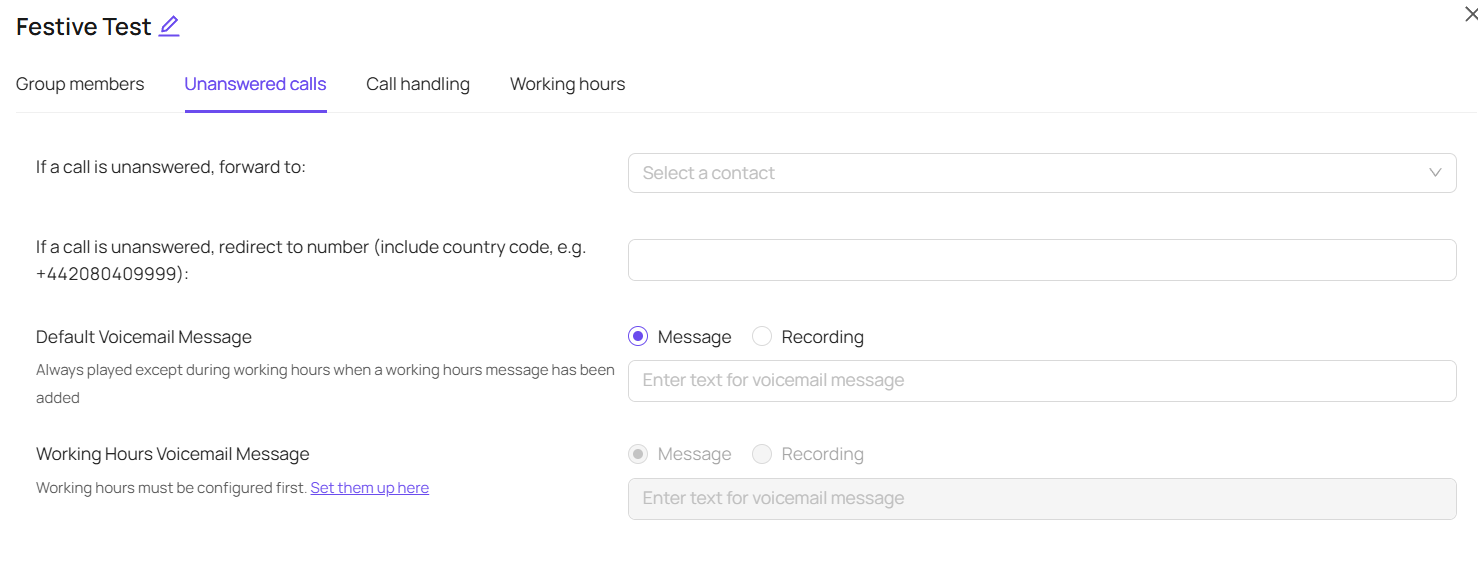
You can then choose to utilise our message function, and update the text used for the voicemail message

Alternatively, you can record or upload a personalised voicemail using the 'plus' button - you can have more than one on each calling group, and toggle between the two using the drop down making it even easier to change the message your callers hear
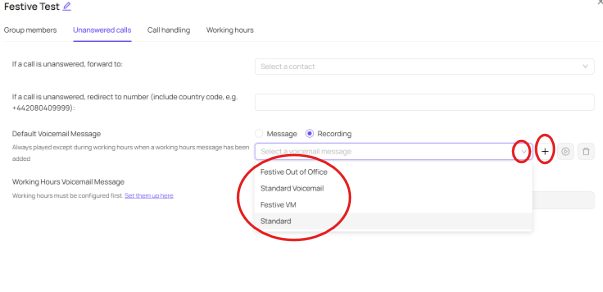
Then when your users put on DND or log off for the holidays, your calling groups will ring through to your voicemails and play the message you have setup.
Alternatively, you can navigate to the working hours tab, and restrict the working hours to minimised times, to ensure your calling group goes straight to VM if any of your users forget to log out or put themselves on DND
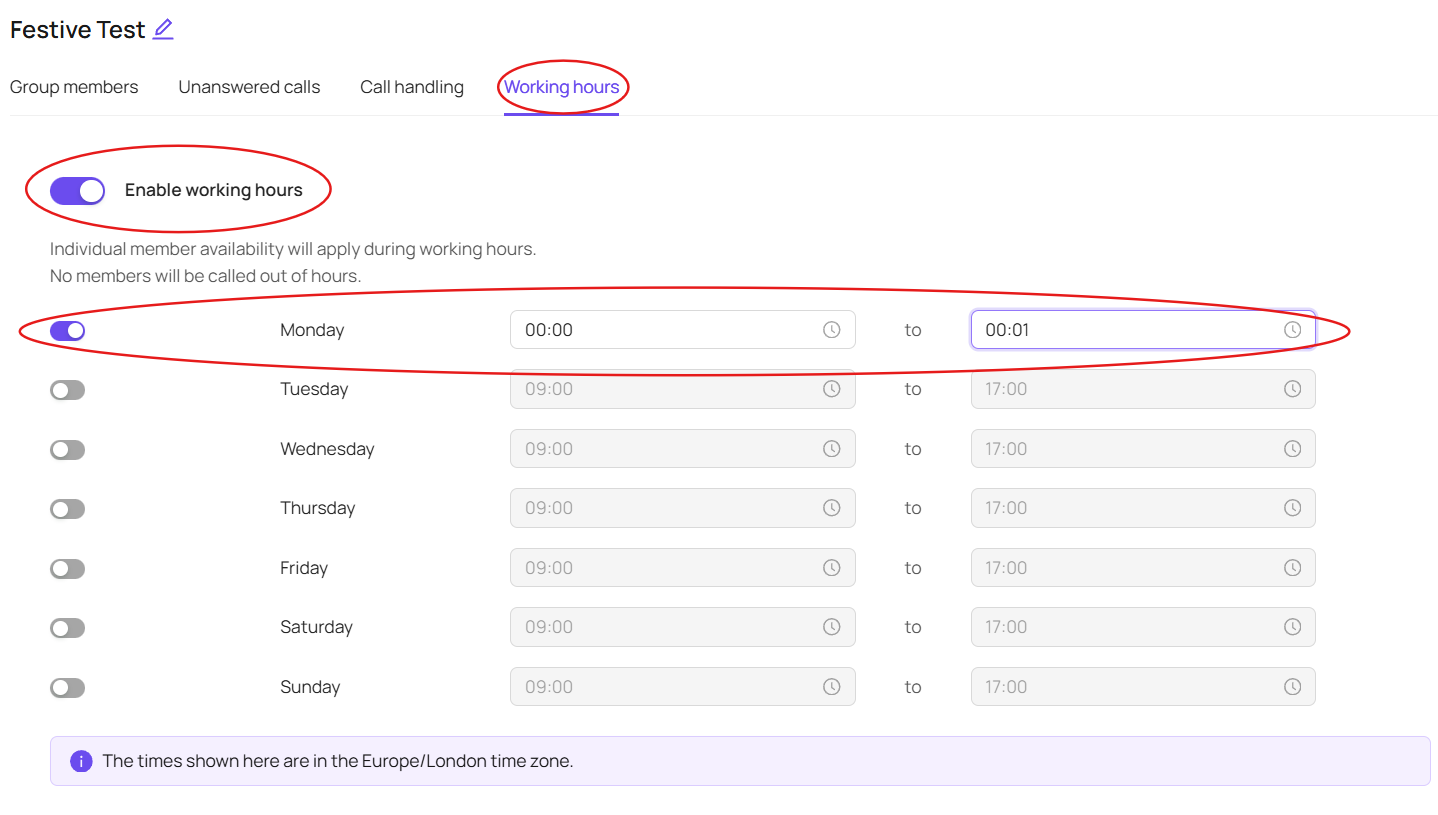
******Make sure to put your working hours back to how they should be upon your return, and your VM back to your standard one after the festive season*****