Call Questions
Last updated: September 11, 2025
Our AI question helper is designed to give user's prompts to ensure all necessary questions are asked/answered during a call.
This also takes out AI one step further as it enables our customers to tailor the AI summaries dependant on company needs.
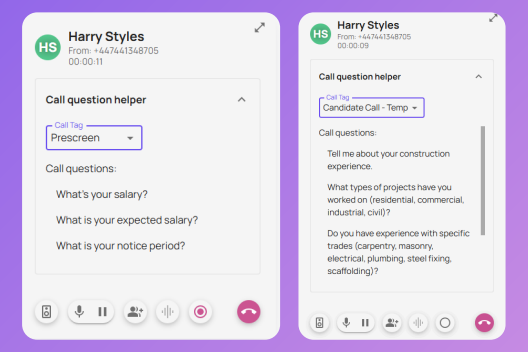
Questions can be set for the whole organisation by admins within the management portal and the questions will pop up on the users call modals when the call type is selected
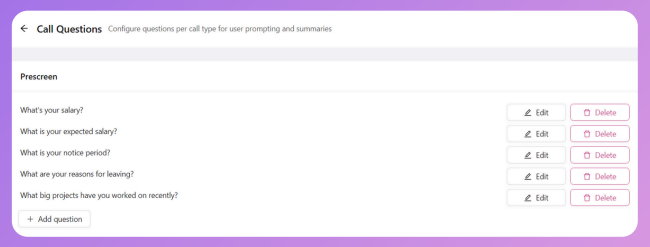
The AI question helper can also be tailored per consultant depending on the industry and roles they're recruiting for. For examples, if a consultant was having regular prescreen calls with developers they can configure questions similar to those in the screenshot below in their softphone settings.
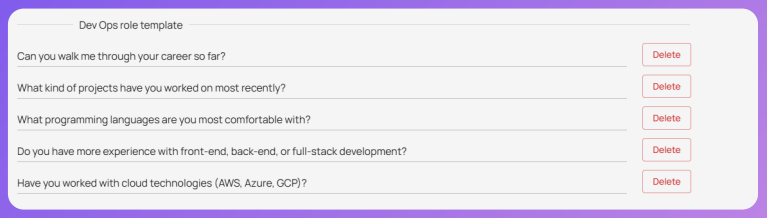
If you have different teams, e.g. perm and temp teams, that requires different call questions, admin's can add a call tag in the portal and add questions under the new call tag. These call tags can also be mapped to your CRM. This adds another level of customisation to suit your specific company needs.

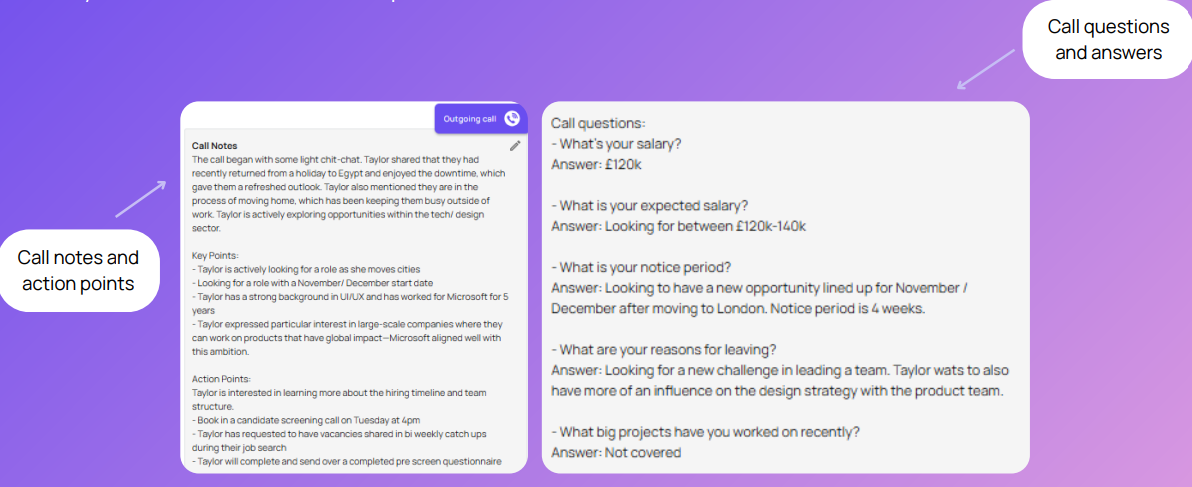
The questions/answers are then reflected in clear and concise call summaries which automatically sync over to your CRM. As can be seen below:
You can find this in your portal, in the left hand tab here:
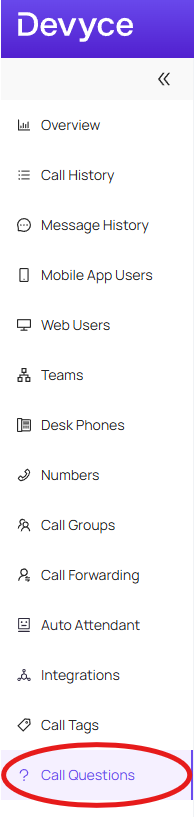
And use the steps here to set this up:
User Level - https://devyce-knowledge-base.help.usepylon.com/articles/1055611055-how-to-set-up-user-specific-call-questions
Admin Level - https://devyce-knowledge-base.help.usepylon.com/articles/4147296501-creating-call-questions
If you go to setup your call questions and come across the below:
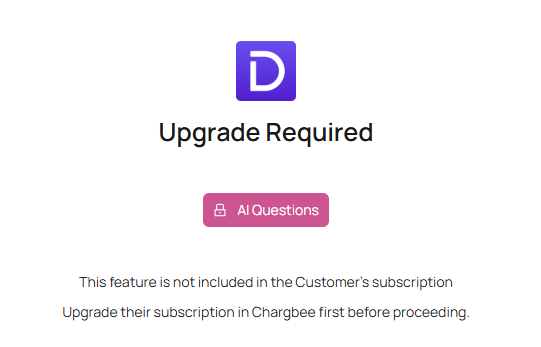
This may be due to not having the feature enabled currently, please reach out to customersuccess@devyce.co.uk where one of our account managers will be able to assist you on getting this setup on your account.
Please note depending on your current subscription this feature may incur additional monthly costs