Enhanced Calling - Hold and Wait Music
Last updated: July 7, 2026
As part of our enhanced plan, you can now add your own hold and wait music
If you don't have access to this and aren't on our enhanced plan yet please reach out to your account manager or support@devyce.co.uk to discuss upgrading
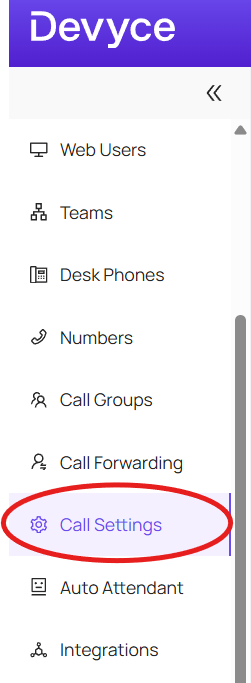
To do this, navigate to your Devyce admin portal and in the left hand side toolbar, click on 'Call Settings'
Here you will see multiple options to choose from, you can then scroll down to find the section headed 'Hold/Wait Audio'
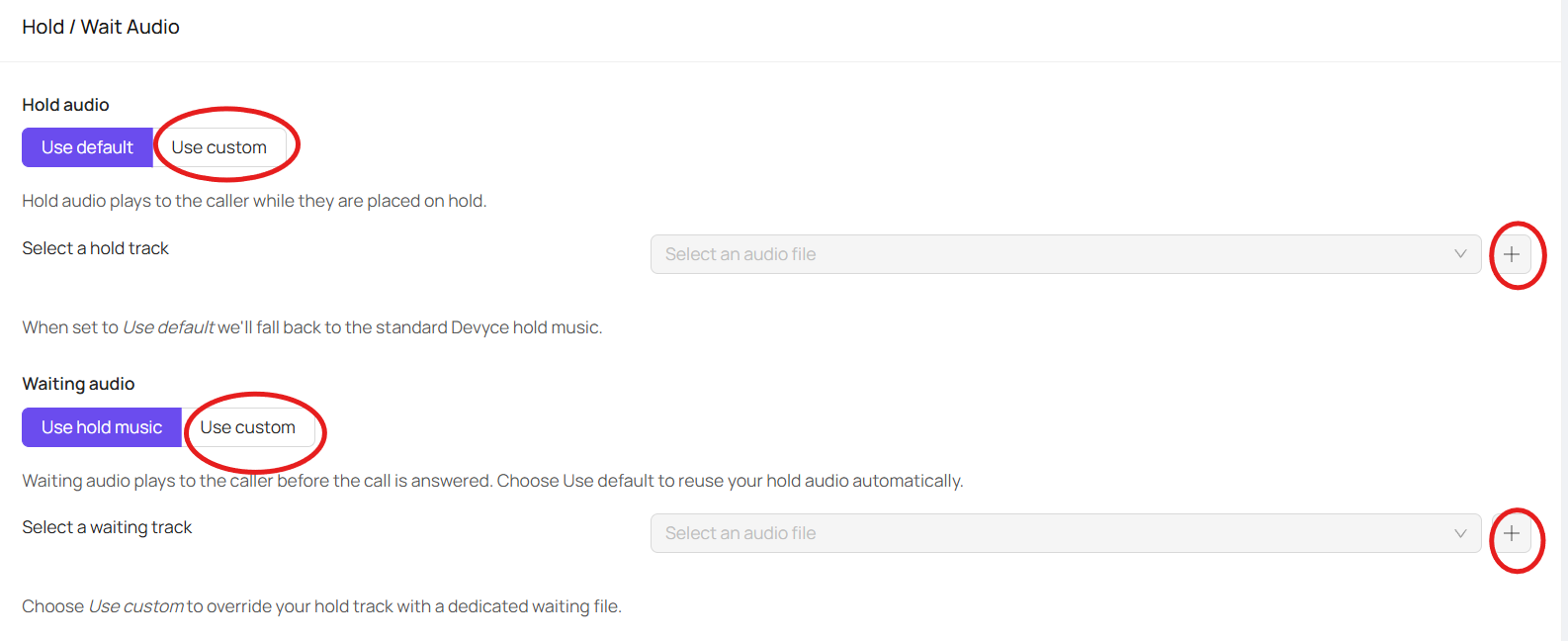
Here you can choose to use custom audio, and upload these using the plus button
Once you have done so you just need to click 'Save Audio Settings' at the bottom of the screen to have these applied