How to set up user specific call questions
Last updated: May 21, 2025
Your Admin can update and add company wide call questions - they can learn how to do this here: https://devyce-knowledge-base.help.usepylon.com/articles/4147296501-creating-call-questions
However you can edit and add specific questions for your account, this might be useful if you have questions that are often asked and aren't included within the company wide call questions.
You need to go to your softphone https://softphone.devyce.io/
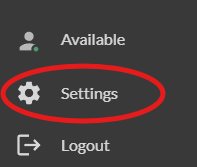
You can then go to the bottom left hand corner of your softphone and click the settings cog
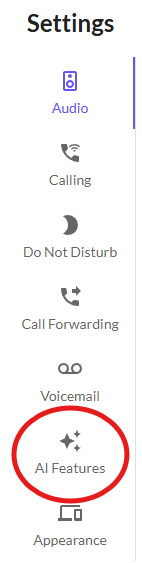
A new toolbar will then open, and you need to click on the 'AI Features' button
You can then enable the call questions section
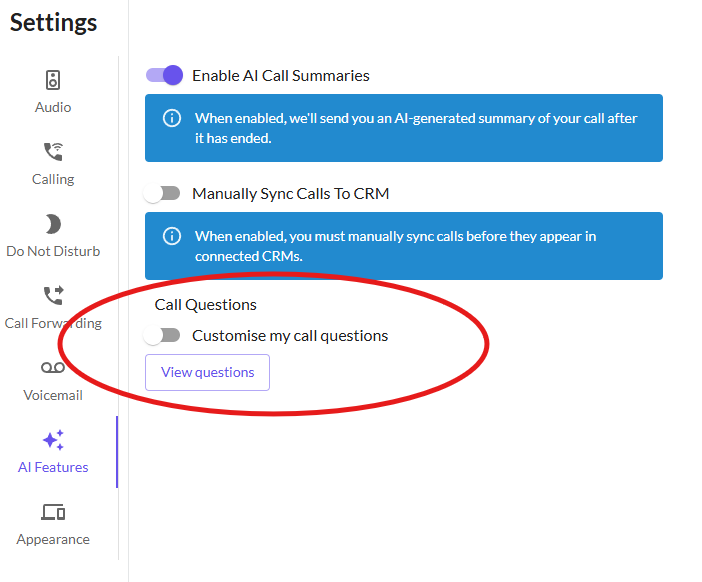
You can view the current questions setup on your account, and then if you click the toggle it gives the option to customise this.

If you do not have access to this section, it may be because your current subscription does not include this - please speak to your account administrator regarding this.
Clicking on the 'set up questions' will open up another window where you can delete existing questions and add additional ones specific to your account.
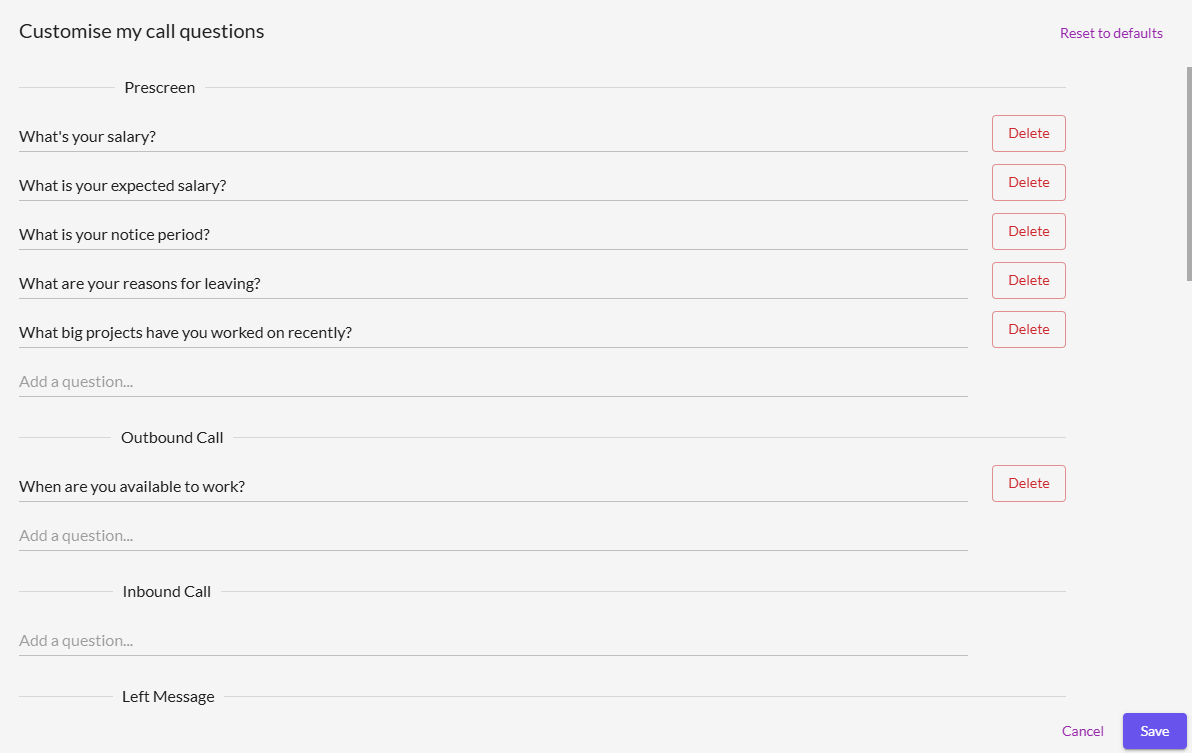
Once you have edited and setup your call questions as you need, make sure to click save.