Noise Suppression - How To Use This Feature
Last updated: July 7, 2026
If you are unable to see the details below or use the warm transfer function you may need to upgrade your plan, please reach out to support@devyce.com for further assistance
Noise suppression is a feature reduces or removes unwanted background sounds during a call so the other person hears your voice more clearly.
On calls microphones pick up more than just speech, for example:
Keyboard typing
Office chatter
Traffic or street noise
Humming, buzzing, or static
Our noise suppression filters out these sounds without muting or damaging the speaker’s voice for clearer conversations. You have two options option one full Noise Suppression and option two Background Voice Cancellation (This is predominantly for cancellation of background conversation) please see how to amend these settings by following the guidance below:
Step One:
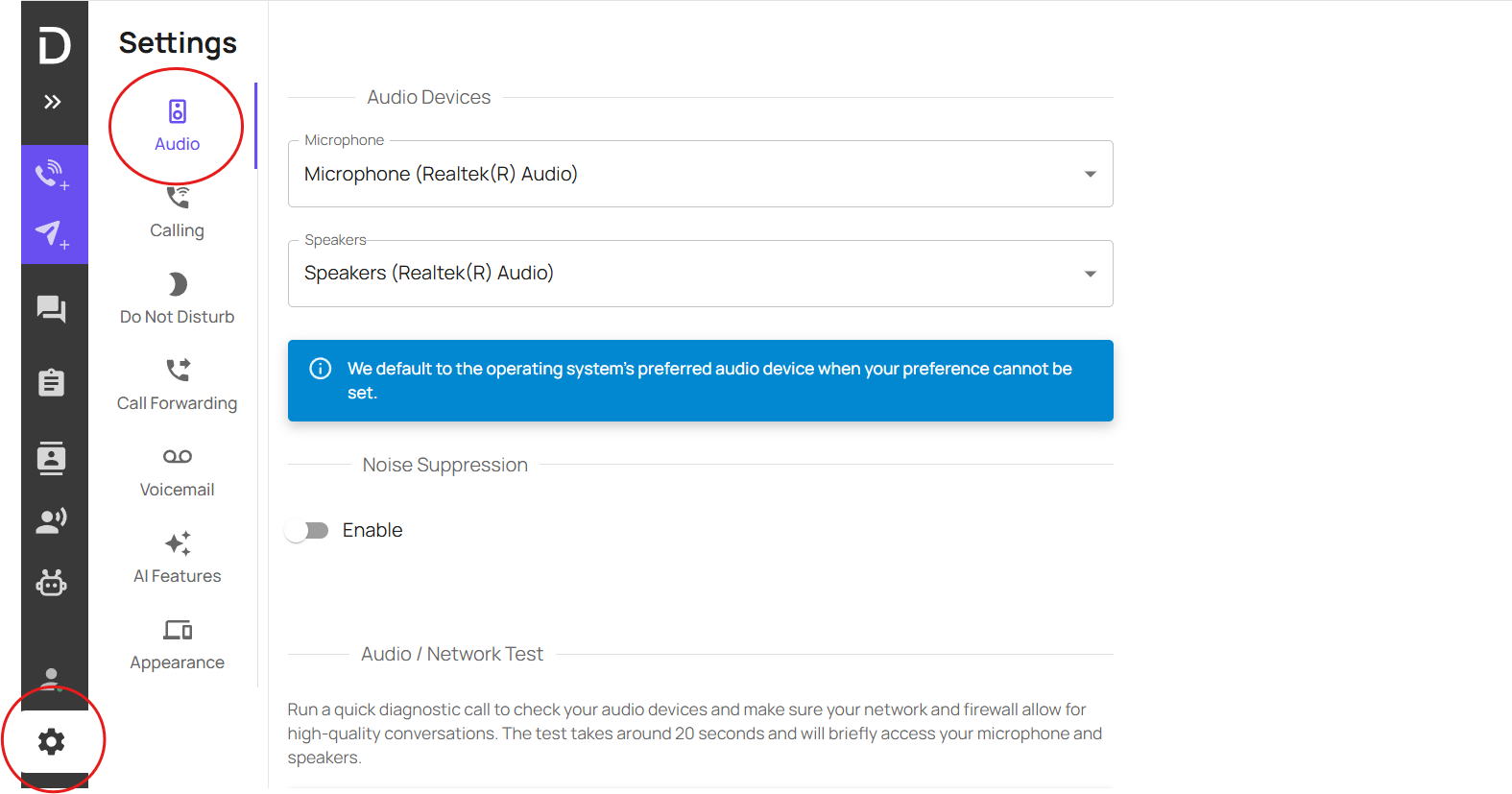
On your Softphone head to Settings>Audio
Step Two:
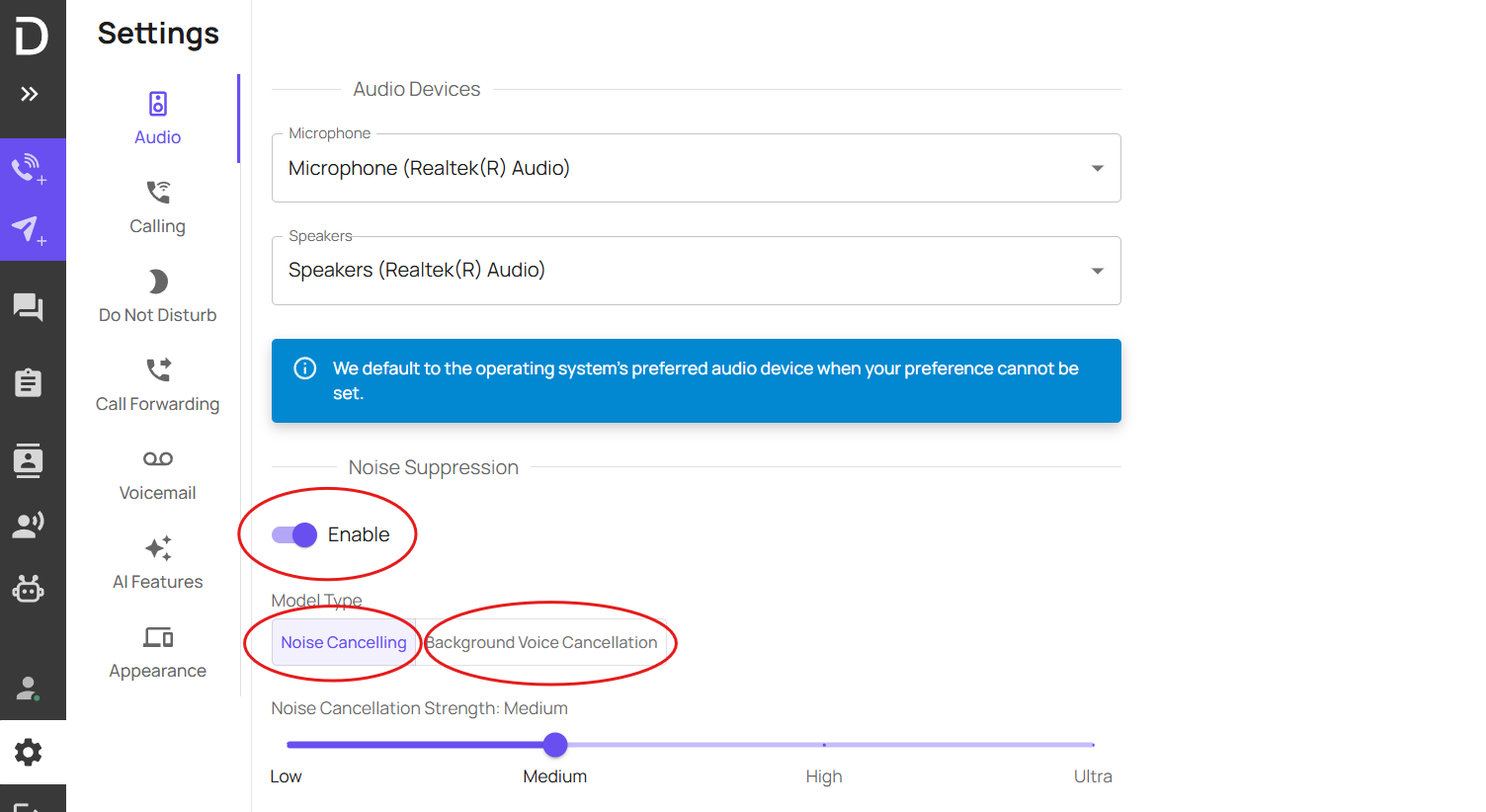
Select Enable>Select you noise suppression option from 'Noise Suppression' or Background Voice Cancellation. Note: for Noise Suppression you can select the strength from the bar below.
Step Three:
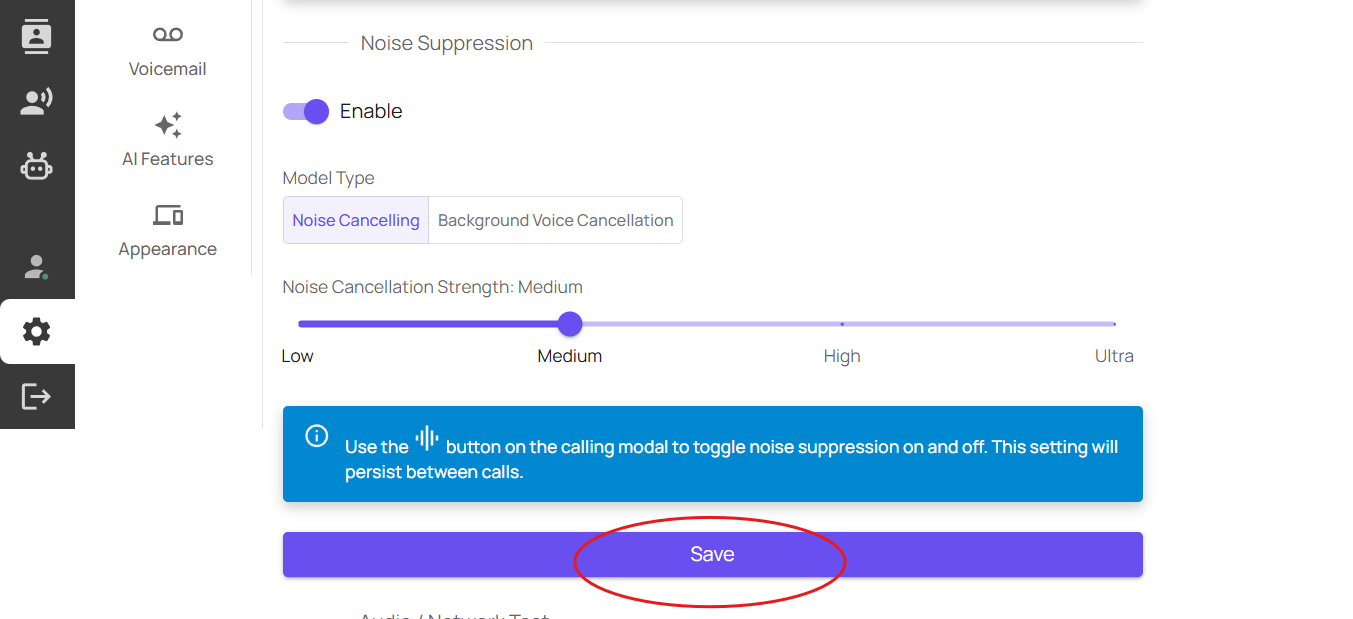
Select Save.