MS Teams Integration - Summary and Call Tags
Last updated: June 15, 2026
After your MS Teams call, if the notetaker was in it, it'll create an AI Summary of the call and this will be shown in the 'External Interaction' tab in the Softphone
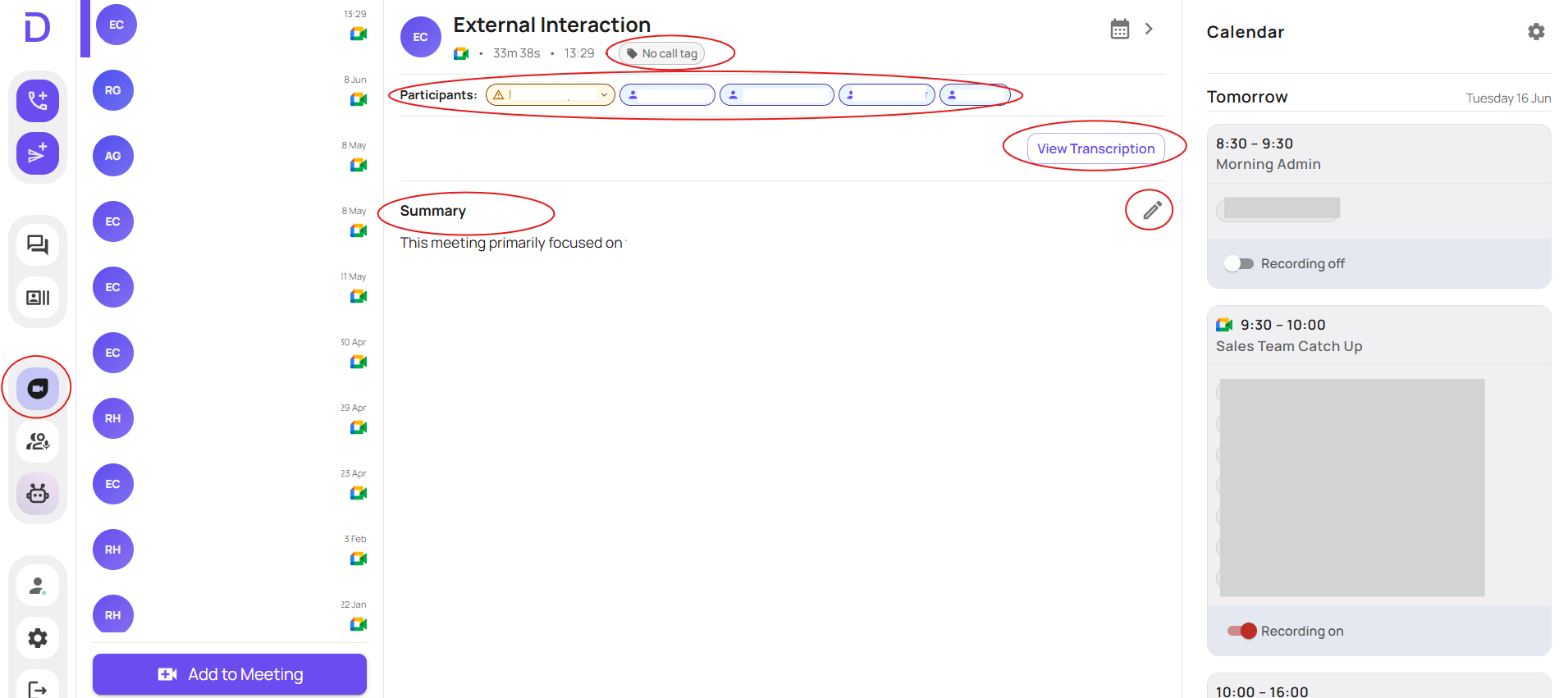
Here you will be able to see the summary, edit the summary, view the full transcription and participants and call tags
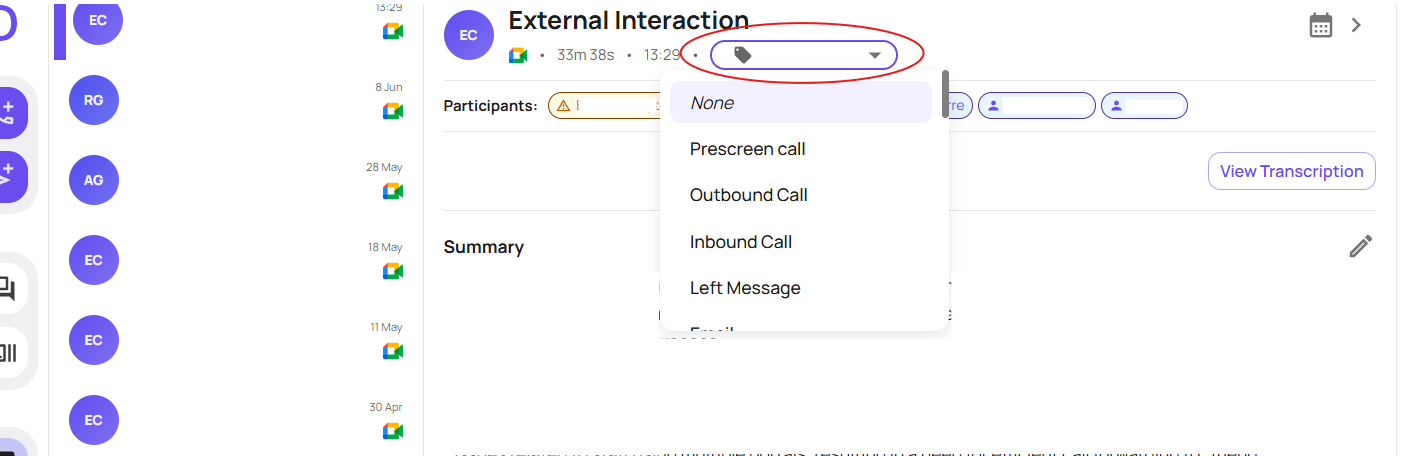
Clicking the call tag dropdown, will allow you to choose the relevant call tags as needed - these can either be call tags you already have setup, or new ones you have setup specific to MS Teams.
You can see how to setup call tags here: https://devyce-knowledge-base.help.usepylon.com/articles/8208135169-how-to-add-call-tags-into-the-devyce-portal?lang=en
The integration, will sync using the email addresses in the meeting. However if there is not a contact matching that email in your CRM, or there are multiple CRM contacts linked to this email/name the call won't sync
When this happens, you will be able to use the participants drop down, to see what the CRM syncing issue is and have the option to change the contact etc if needed
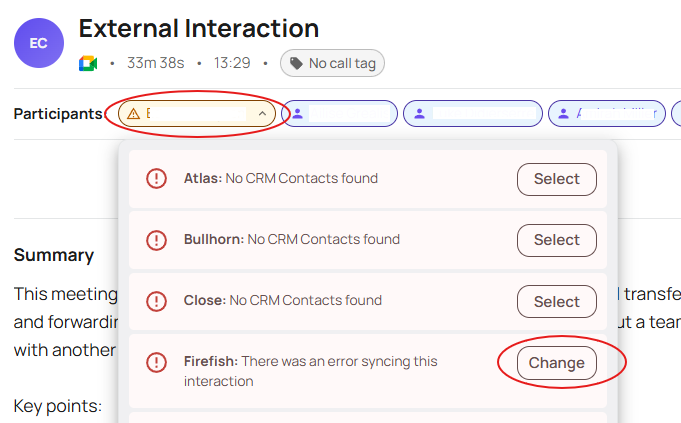
Please note you will only have your CRM options available doing this - if after using this option and attempting to rectify the issue the system specifies and you still experience issues you can escalate this to support@devyce.co.uk with the call details for us to investigate