Devyce Notetaker - During a meeting
Last updated: June 24, 2026
Once setup and connected with your calendar, if you have it set to join a meeting - the Devyce notetaker will join as a participant
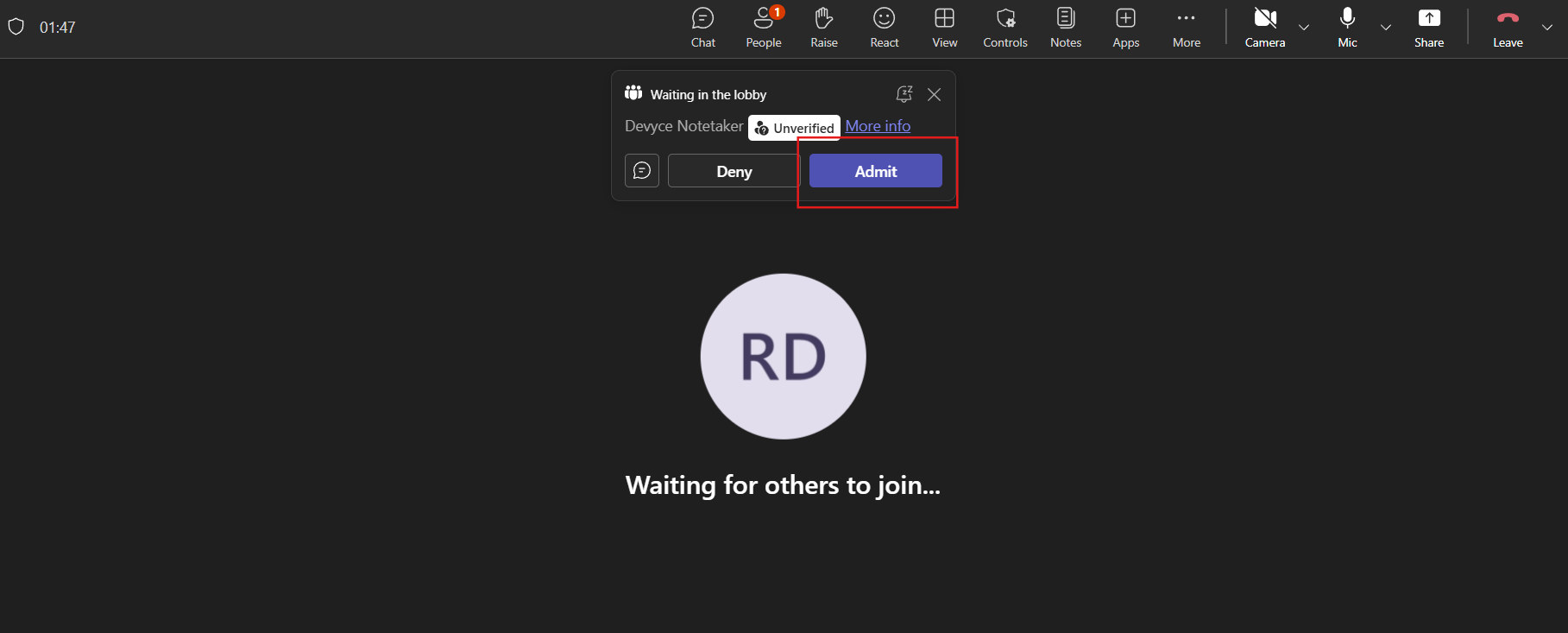
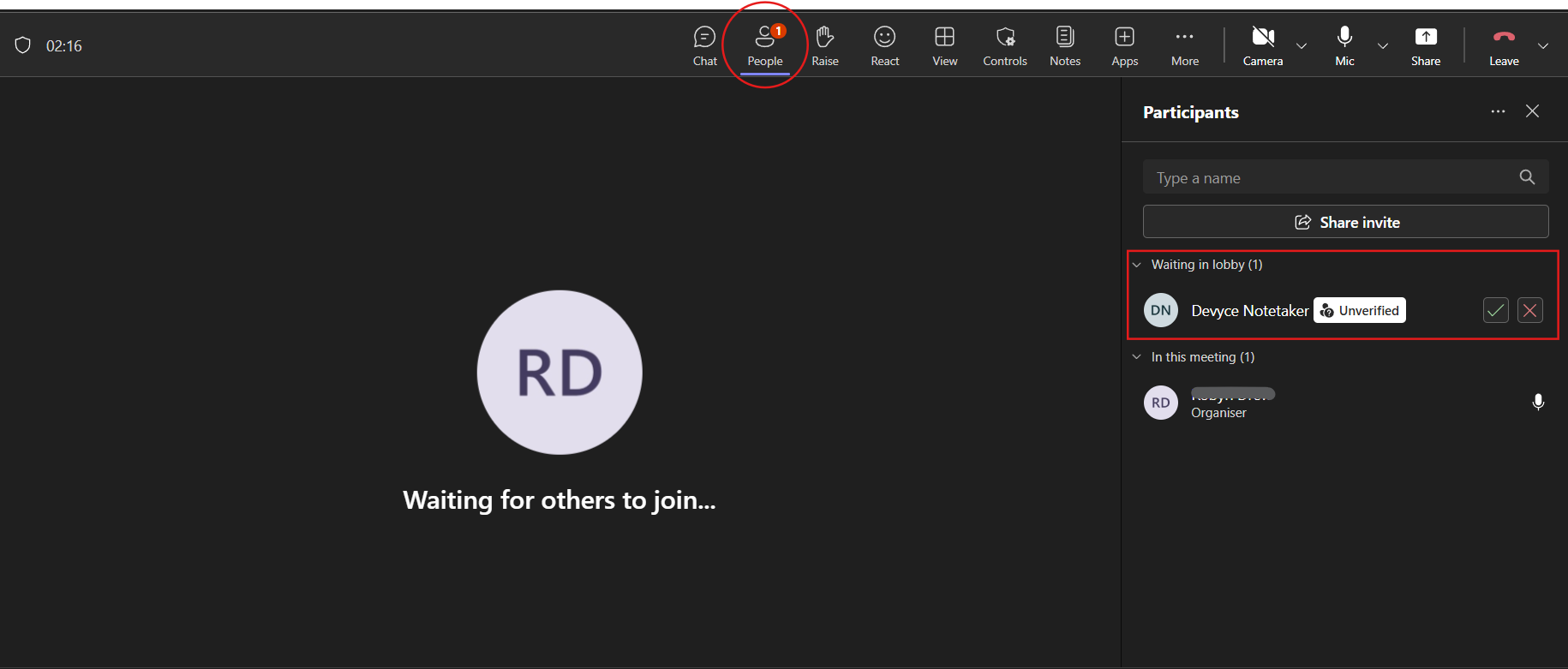
You can then allow, or deny it access to the meeting
If the notetaker is present in the call, an AI summary will be generated and show after the call within the 'External interactions' section of the Softphone and portal.
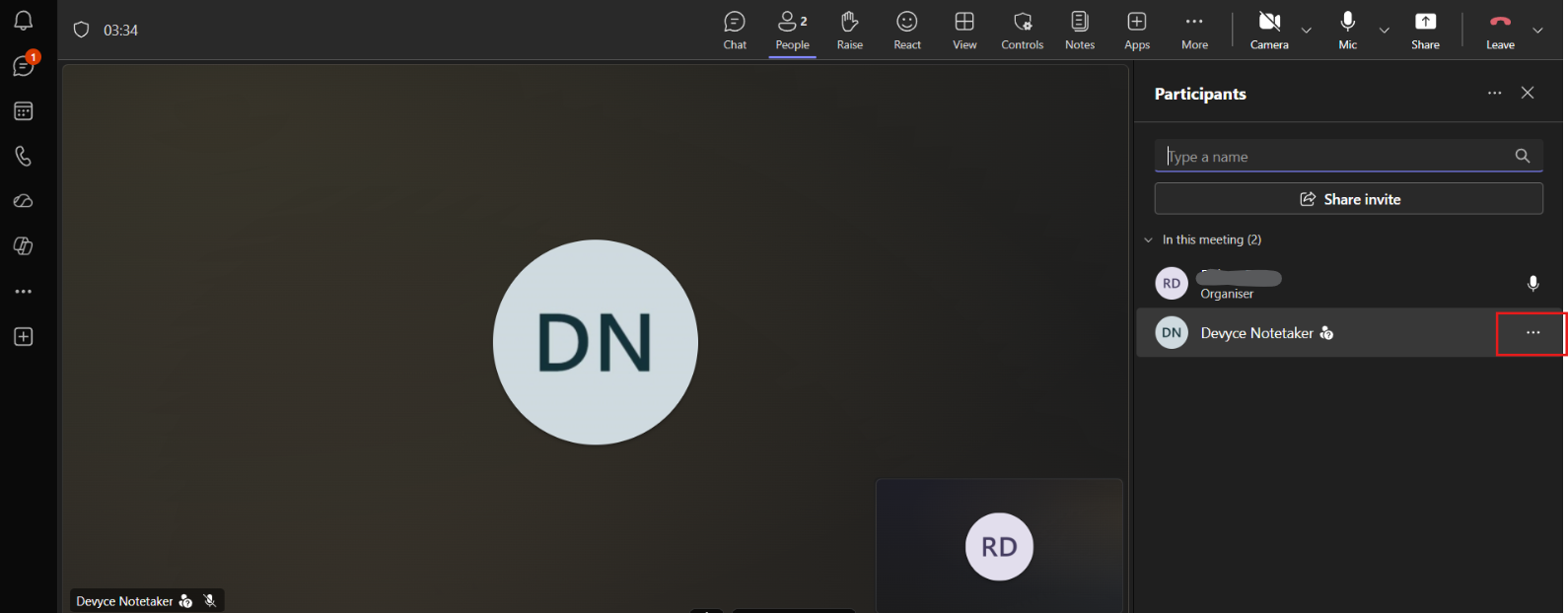
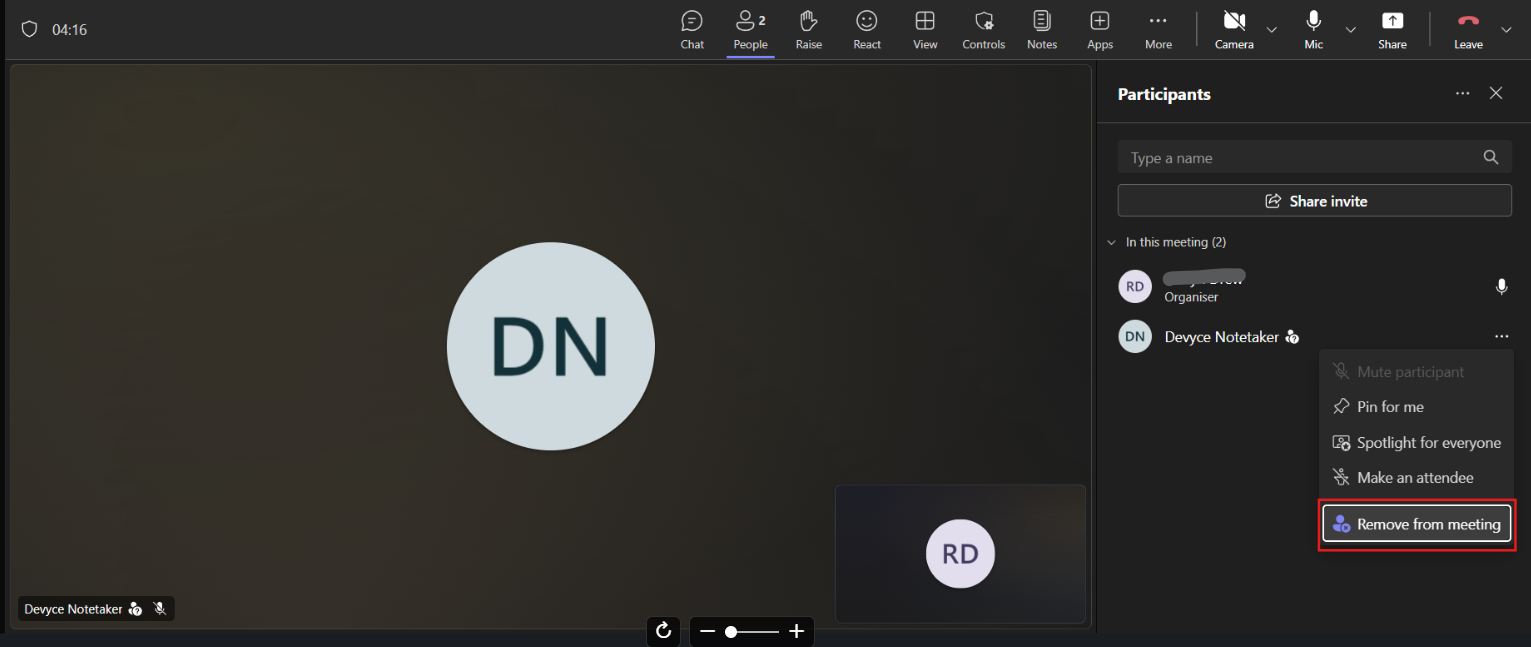
If during the meeting you wish to remove the notetaker, you can do so my clicking on the three dots, and clicking 'remove participant'