Inbound Call ID isn't showing on my mobile app
Last updated: June 18, 2026
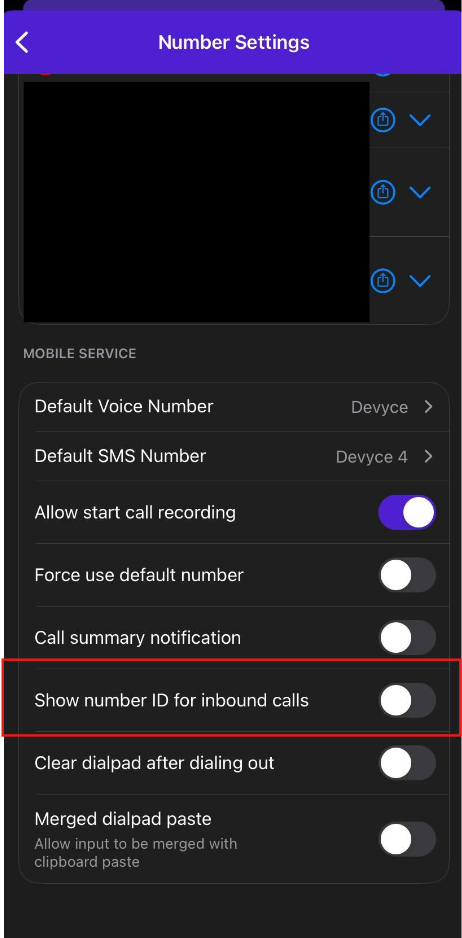
To enable Inbound call ID shows on your mobile app please follow the following steps:
Open the mobile app
Open the mobile app settings
Select Devyce number settings
Scroll down and ensure "show number ID for inbound calls"
You can see how to customise your incoming numbers here: https://devyce-knowledge-base.help.usepylon.com/articles/9310729414-customising-multiple-numbers-on-your-devyce-mobile-app