How to Share App Logs
Last updated: July 17, 2025
Sometimes you may experience some issues with the Devyce Mobile App, and we require app logs to investigate - sending these provides details for our dev team to investigate what may have caused the issue.
Sometimes the team may require a couple of call logs from you, asking you to complete steps and then send logs again - we understand this may feel frustrating but please bare with us, each check and logs sent is ruling out causes and getting the team to a solution for you.
You can share logs by doing the below steps on the Devyce Mobile App:
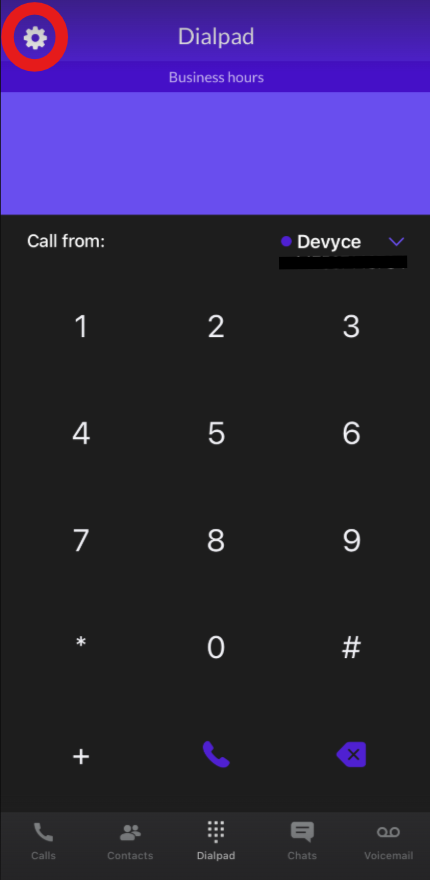
Click on the settings cog at the top of the app page:
This will then bring up the app settings and additional options for you to choose from:
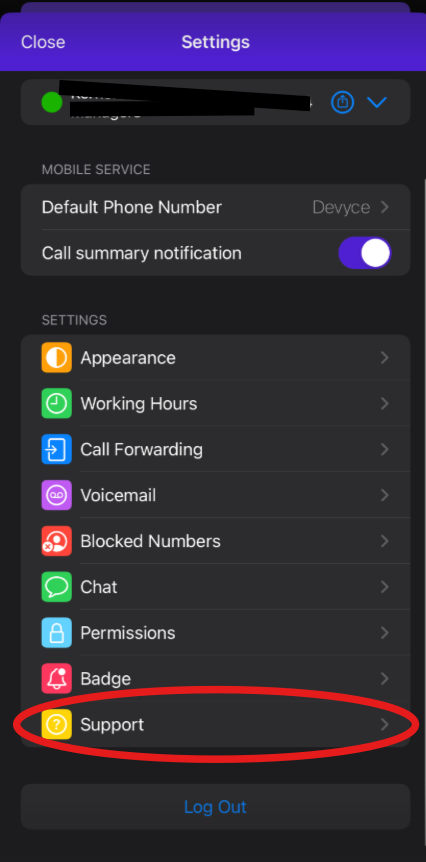
Please click on the support button, this will then open up additional information for you and the 'Share logs' option
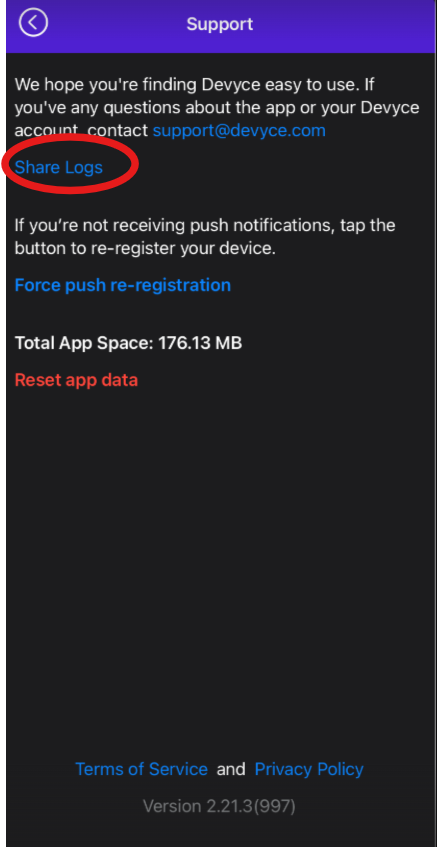
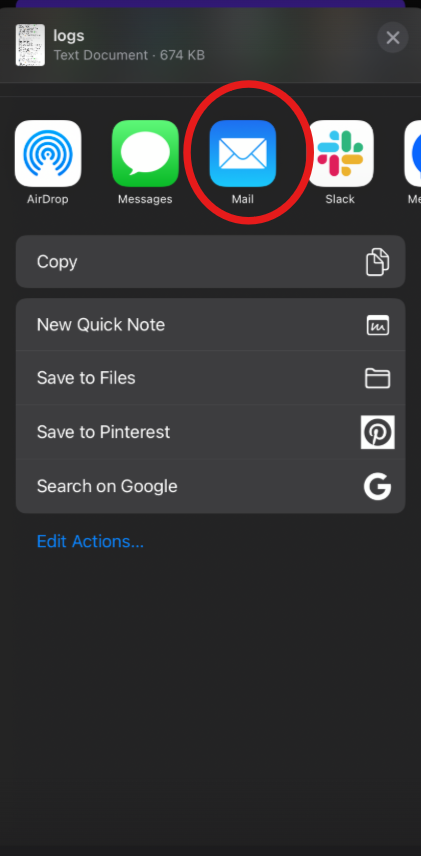
Once you have clicked this, it'll open up option on how to send these - please select email and send this to support@devyce.com