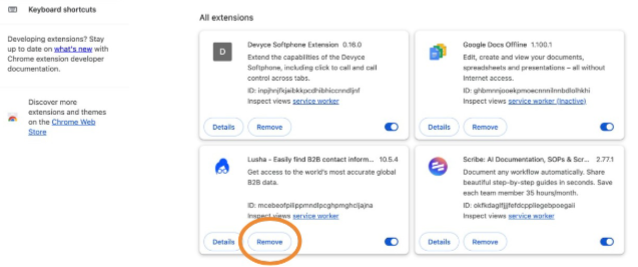
How to Add and Remove the Devyce Chrome Extension
Last updated: February 13, 2026
You can download the chrome extension from https://chromewebstore.google.com/detail/devyce-softphone-extensio/inpjhnjfkjaibkkpcdhibhiccnndljnf?hl=en
Click on the puzzle piece icon to view all the chrome extensions
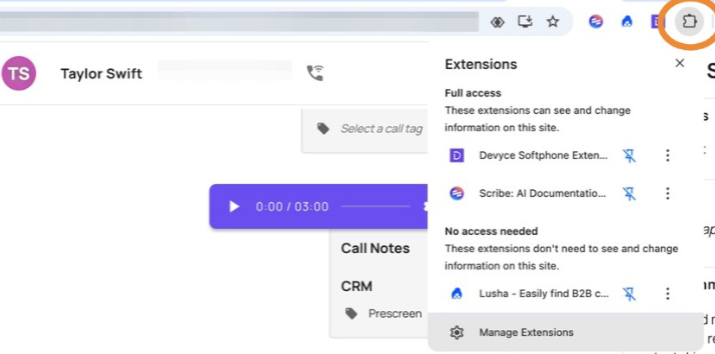
Ensure the chrome extension is pinned to enable the click to dial feature
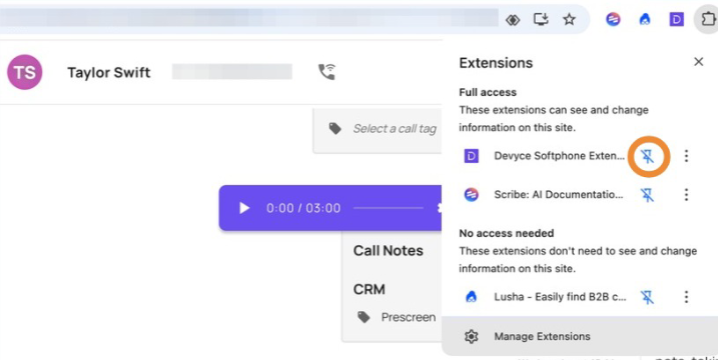
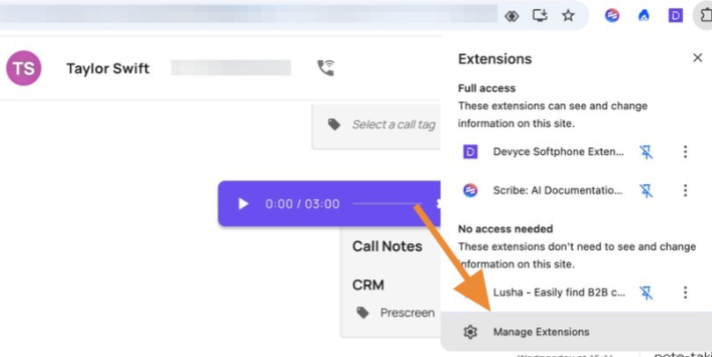
Please ensure that Devyce is the only voice/VoiP extension pinned. To remove any other voice/VoiP extension click "manage extension"
And then click "Remove"