Flag a Call Issue/Report a Technical Issue within the Softphone
Last updated: October 21, 2025
Sometimes you may experience a call that has bad call quality, or an error you are wishing to raise, you can report this within your softphone so when escalating to our support team they can easily find the problem calls for you, reducing the need to provide examples of the error for us to investigate and saving you time
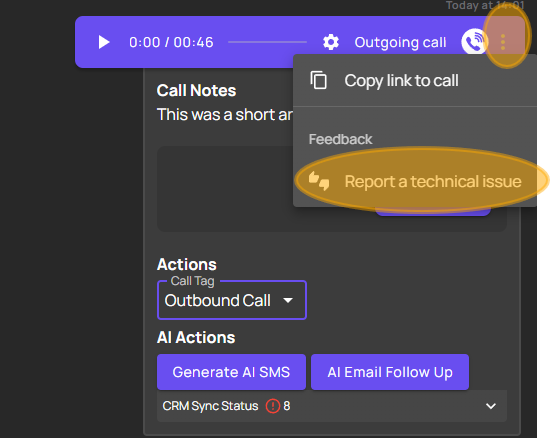
You can do this within the softphone by going to the call in question and clicking on the 3 dots to open up further options, and clicking on 'Report a Technical Issue'
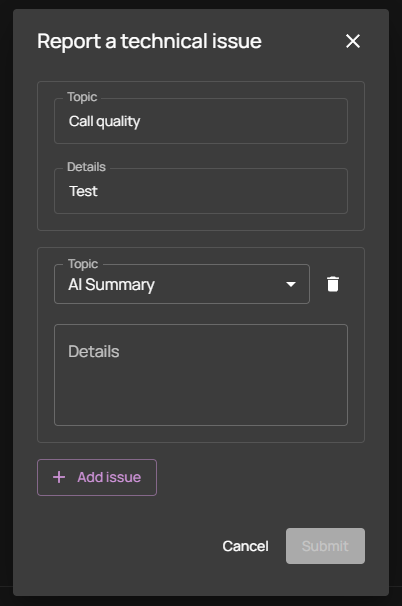
This will then open a new text box, that looks like this:
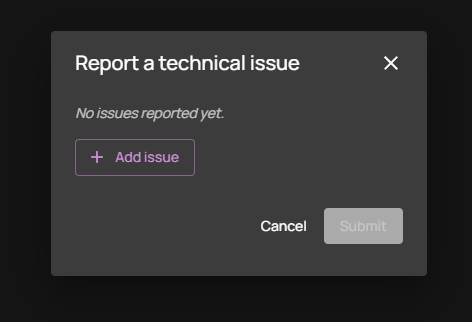
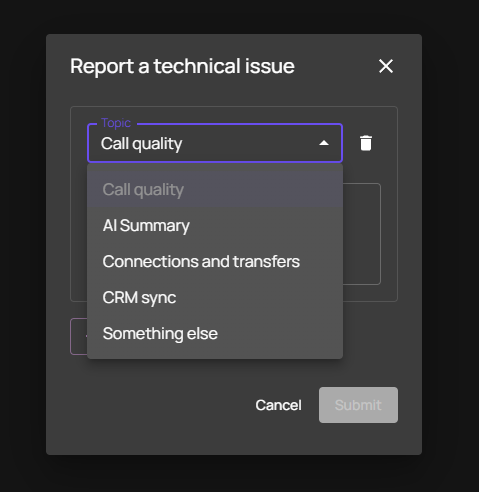
Here you can click on the 'Add Issue' box, and use the drop down to choose the technical issue topic
and then the details box to give a brief overview of the issue you experienced on the call
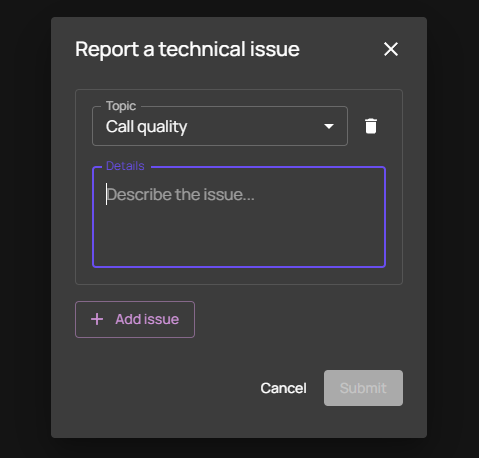
You can click 'add issue' to raise multiple issues, if you experienced more than one on a call
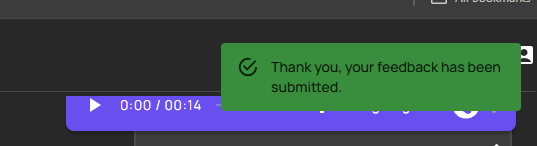
Once you have submitted the issue, you will get a confirmation pop up in the top corner of your screen like below:
Then once you have raised an issue to our support team via support@devyce.com you can let them know you reported the calls within your softphone, and they can easily find these for you without having to provide examples and minimising the back and fourth.
Please note we usually require 3-5 examples, so they may ask for more if you have only raised a couple, this is so we can compare the issues you have experienced and be able to investigate fully