How to Pin the Devyce Softphone
Last updated: December 10, 2025
The Devyce Softphone is accessible via your browser, so if you forget to open it you could miss calls - however you can pin your softphone so that it shrinks but remains visible even if you open multiple other tabs.
When you pin a tab:
The tab shrinks to just the websites icon, saving space
it becomes locked in place so you can't close it accidentally
It opens automatically the next time you open Chrome (if you have continue where you left off enabled)
To do this, open your softphone https://softphone.devyce.io/contacts and right click on the tab at the top of the page, this will then open additional information for you to follow > click Pin
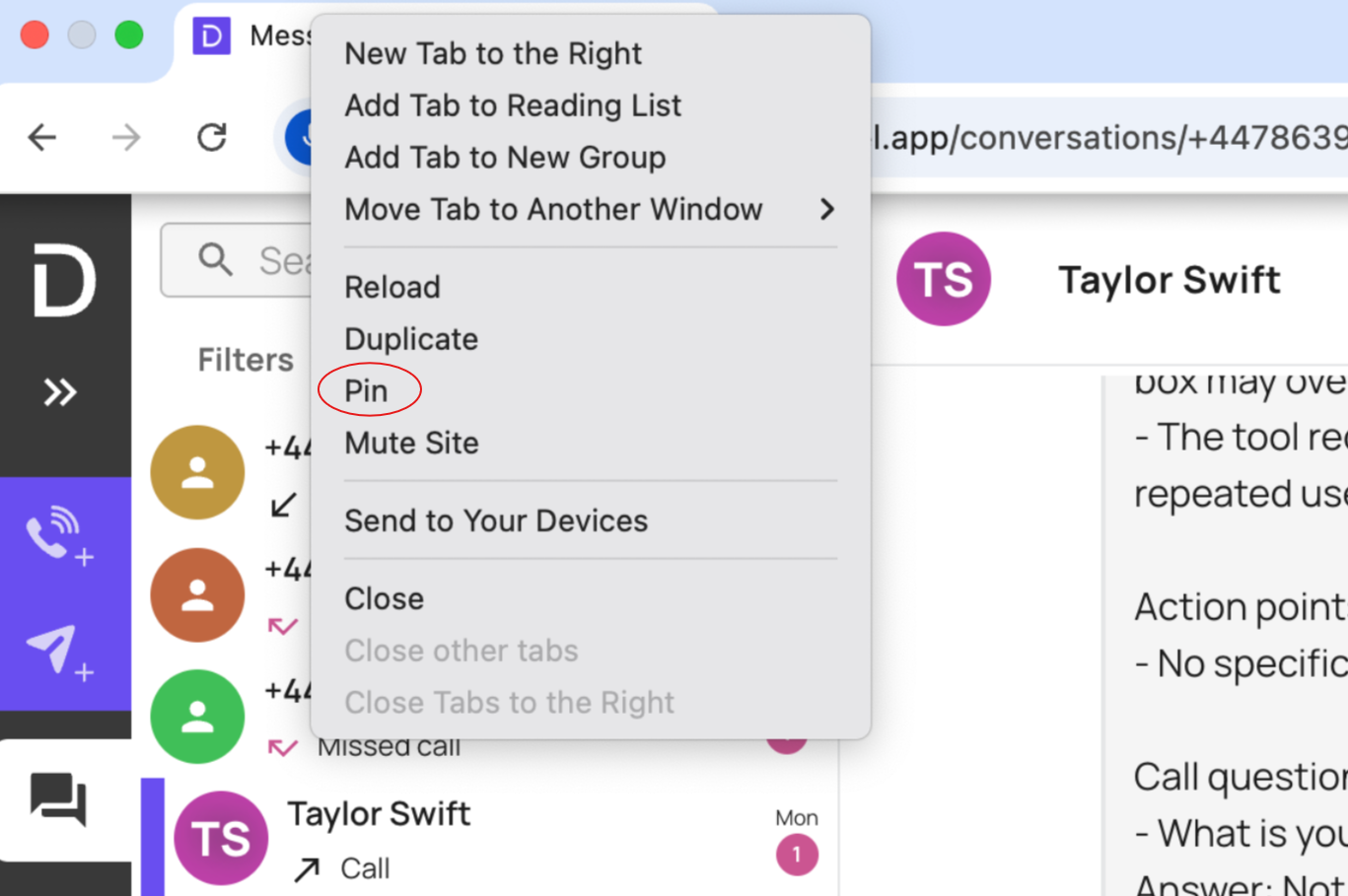
To undo this, you just need to right click on the tab again and click 'Unpin'