I am unable to make or receive calls
Last updated: May 7, 2025
Navigate to https://portal.devyce.io/dashboard/mobile-app-users
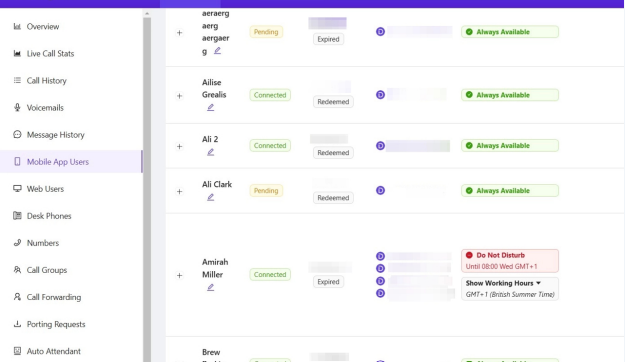
If a user cannot make or receive calls, check on the portal if they are set as "available" or have "do not disturb" turned on.
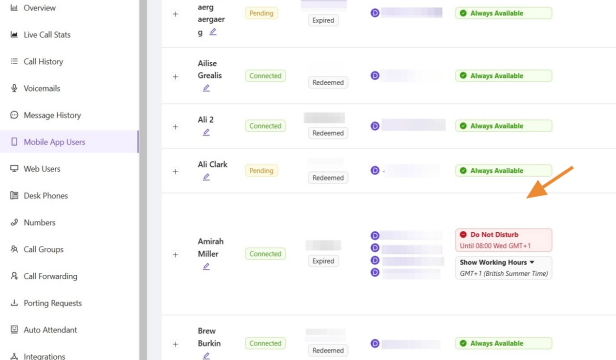
You will also need to check if they don't have a forwarding rule setup. If they do the user will need to edit this within their softphone or mobile app.
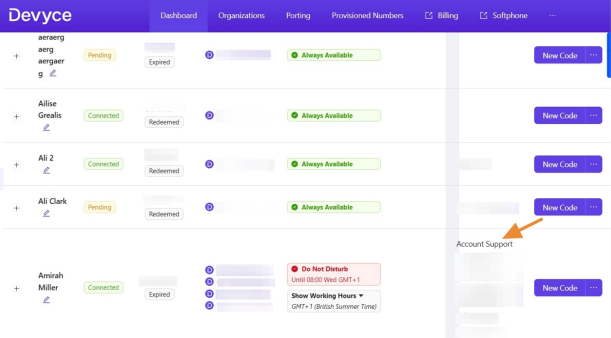
You then need to switch to the Devyce Softphone to ensure the web user has been linked to the app user.
If the 'from' box is blank in the softphone you will need to connect the web user and app user
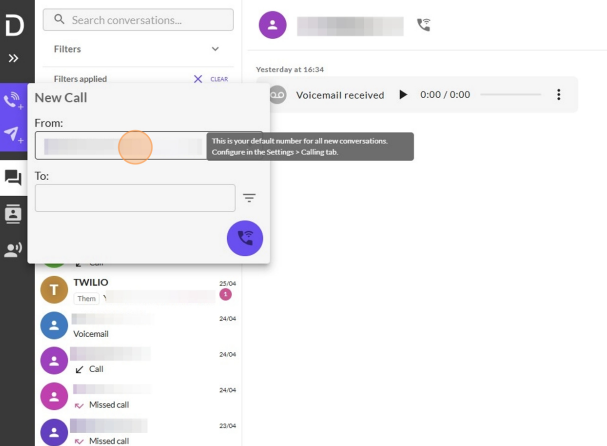
You can do this via this troubleshooting article https://devyce-knowledge-base.help.usepylon.com/articles/1679651758-my-number-isn-t-showing-on-my-softphone
This should rectify the issue and your user should be able to make calls - however if they are still unable to make and receive calls you may need to update your chrome permissions which can be done via this troubleshooting article https://devyce-knowledge-base.help.usepylon.com/articles/9555550408-microphone-%26-troubleshooting-softphone
If the issue still persists after taking these steps please contact our support team for further assistance.