Unable to Receive Calls - Checking your call forwarding
Last updated: June 17, 2025
Sometimes when you are unable to receive call, this could be due to your settings not being correct for what you require.
Please navigate to your softphone https://softphone.devyce.io/conversations
And in the lefthand tool bar at the bottom, click on the settings cog
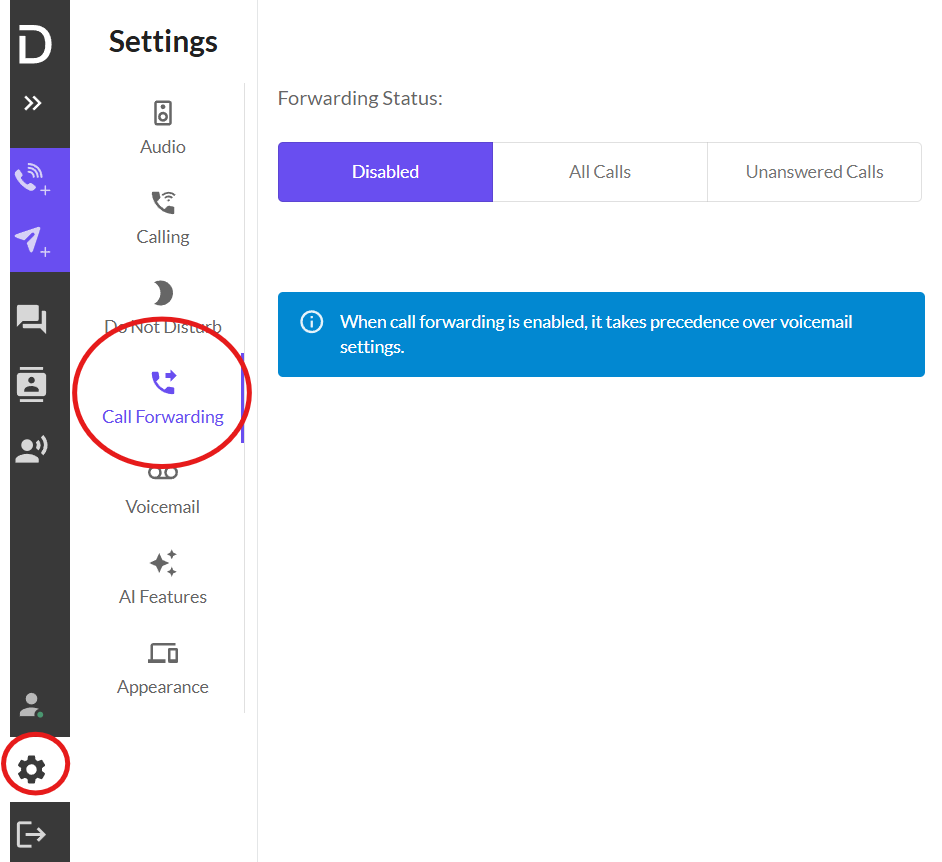
Here you can click on the call forwarding button - where you will be able to see the setup for your call forwarding, this is useful for when you are on holiday and need all your calls diverted to your colleague, or if you like calls out of office to divert to another number.
Please note once this is setup, you need to manually change it back to receive calls again
Here you can check your settings to ensure your calls are being received and not forwarded.