How to Cold Transfer whilst using Enhanced Calling
Last updated: July 9, 2026
Utilising the call transfer button as you would for Warm Transferring, instead of waiting for your colleague to speak with you - you just need to wait until the call has transferred fully and been answered by your colleague.
This can be seen via the loading bar during the call - this show the call is still calling your colleague
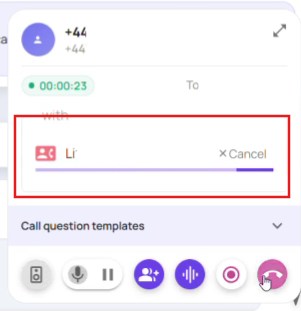
Once the call has been answered, it will show as below, and you can disconnect the call leaving the original caller with your colleague without any further discussion.
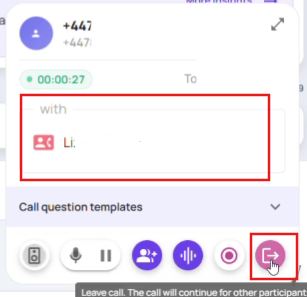
Alternatively, if you do not hang up the call - you will be able to speak with your colleague, conference with the other caller and then leave the call as you usually would when warm transferring.
Please note the 'loading bar' shows the colleague being called, if they do not answer this loading bar will not go, leaving you with the original caller, so you can let them know your colleague is currently unavailable.