User Groups
Last updated: June 4, 2026
User Groups is a feature that introduces an additional user role alongside User and Administrator: Observer.
The Observer role is designed for team leaders, providing access to data for their assigned teams only. Observers can view team-specific information without access to data from other teams and cannot modify portal settings or perform administrative actions.
This feature is part of our Enhanced package, if you would like to discuss having this add on, please speak with your account manager or contact us at support@devyce.co.uk
To get User Groups setup on your account, navigate to your Devyce Portal, using the lefthand toolbar, click on 'User Groups'
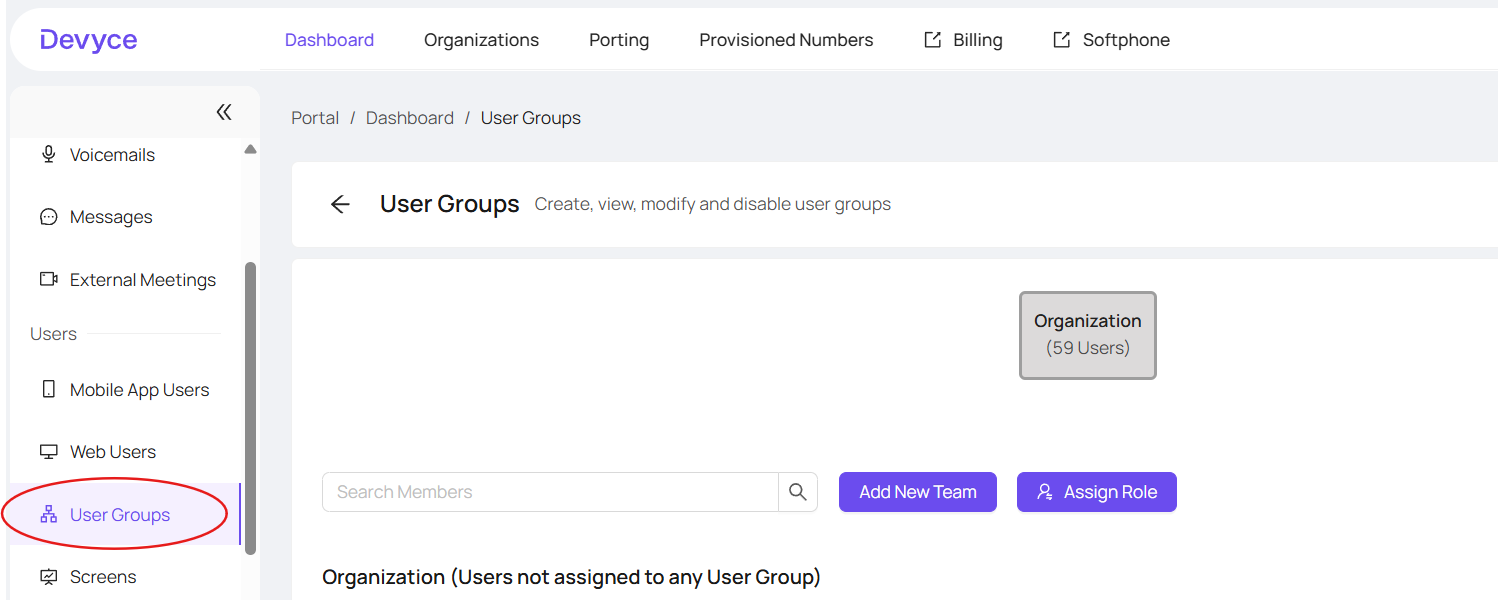
On this page, you will have your organisation users, and then a list of all users not assigned to any user groups below it.
Clicking on organisation, you will be able to toggle between members, and managers and see the below list according to the toggle option, as well as each user alphabetically and their user rights next to them
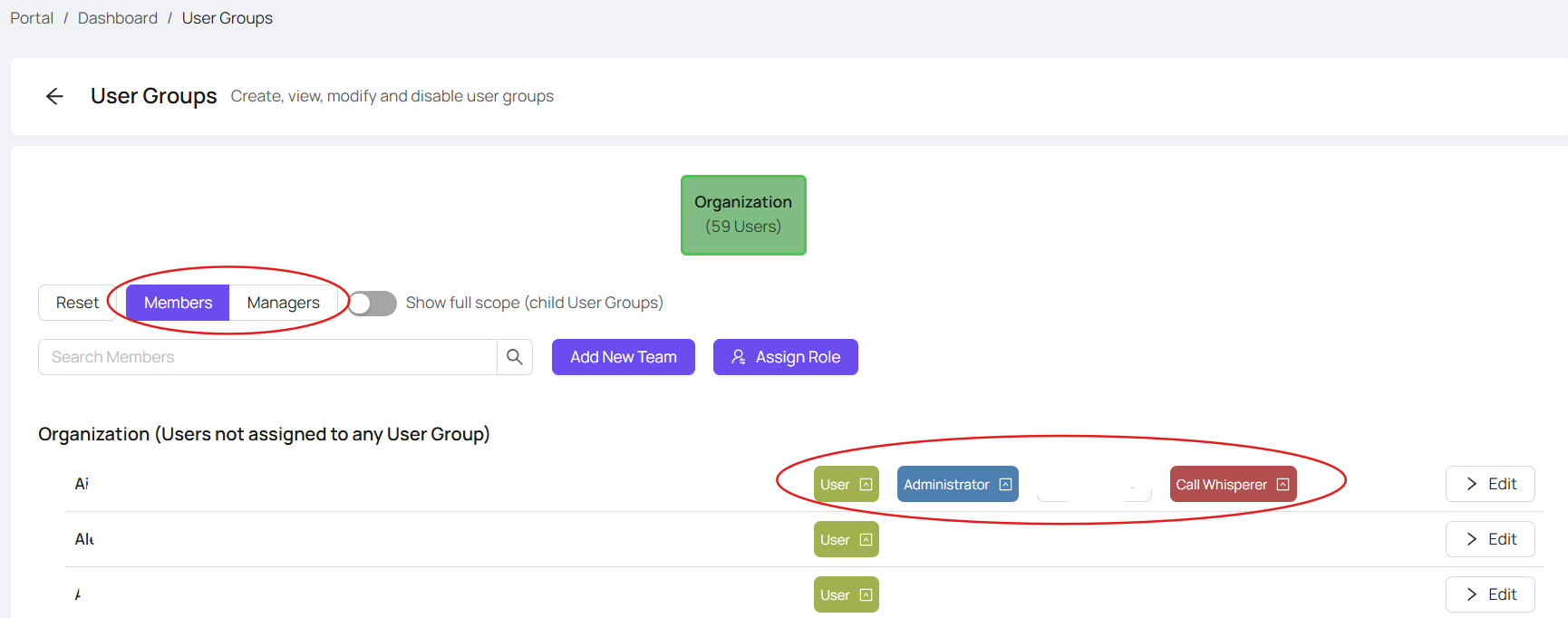
Here you can either, assign roles organisation wide, or 'Add New Team' within the organisation
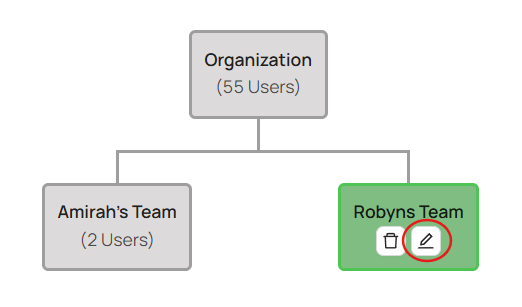
Clicking 'Add New Team' will give you an option to name it, and then will create an editable Team under the Organisation
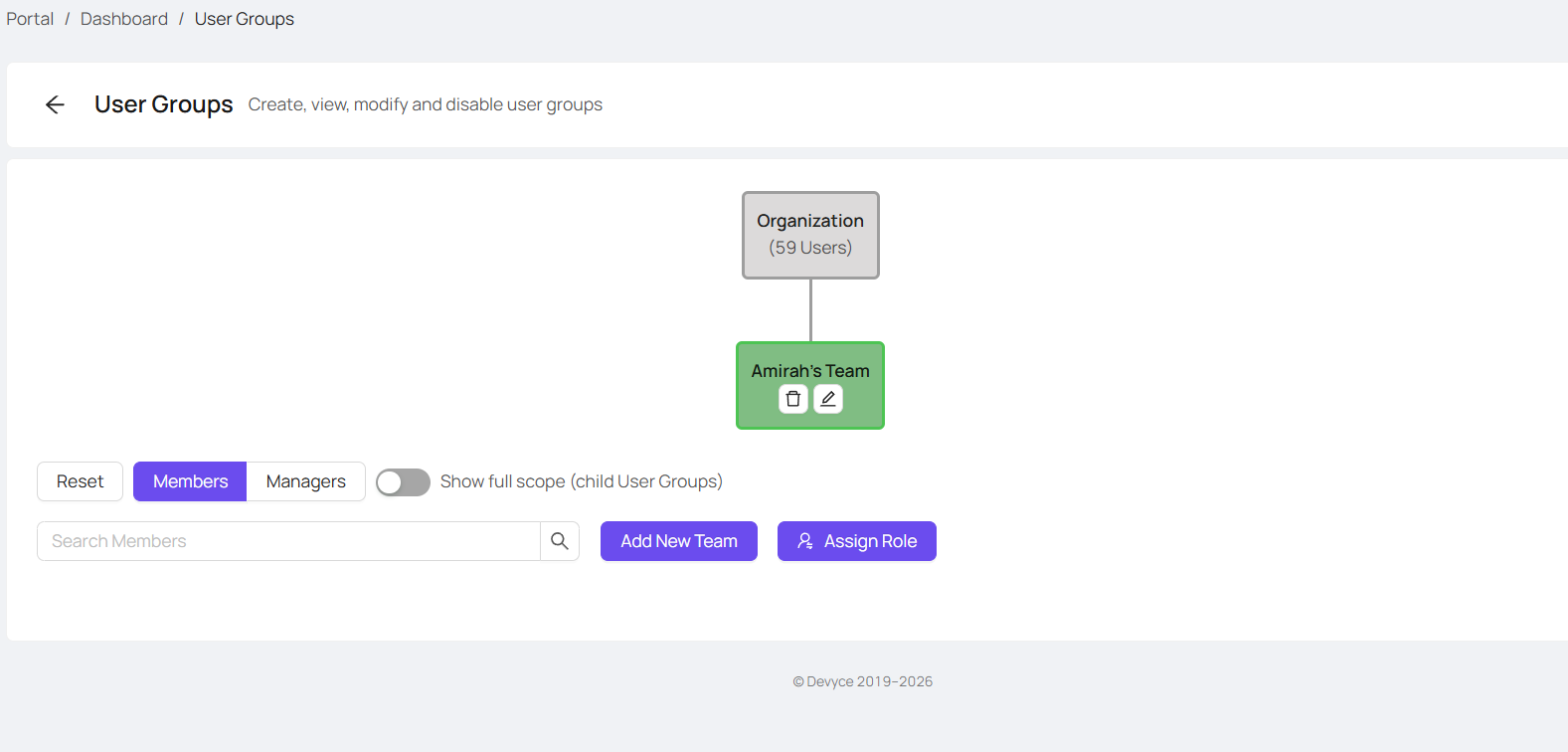
Clicking this, will allow you to see the members of this team, as well as the option to delete and edit it
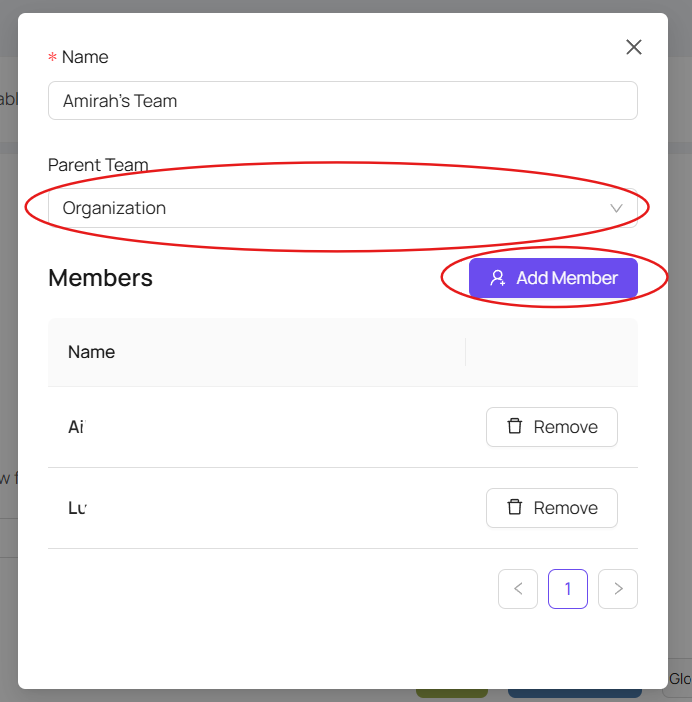
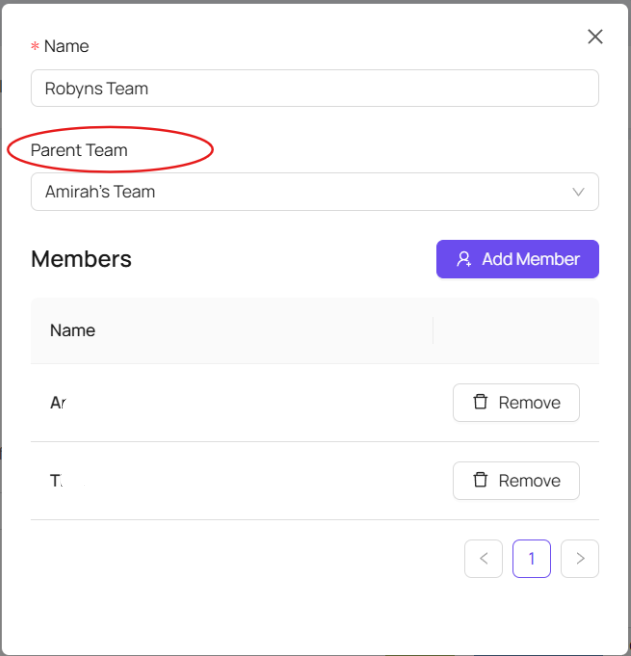
Clicking on 'Edit' will allow you to choose the parent team, and add and remove members as needed
You then use the 'Assign Role' button to assign roles within that team
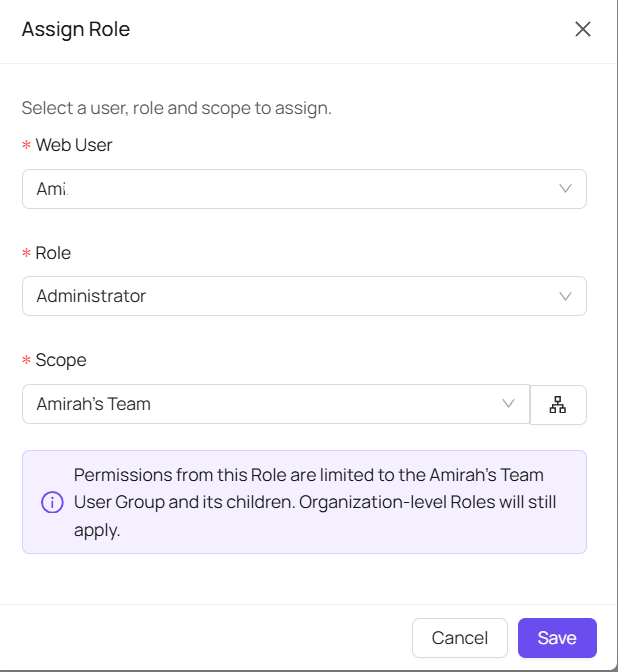
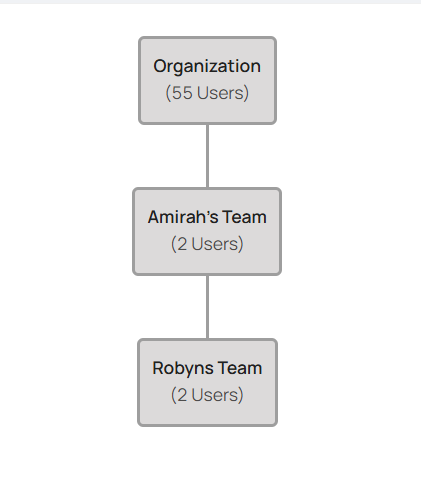
If you edit the Teams, you can then also create various levels of Admin rights by selecting the parent team
Scrolling down, you will be able to see all your teams, the users in those teams and the allowances given to each user
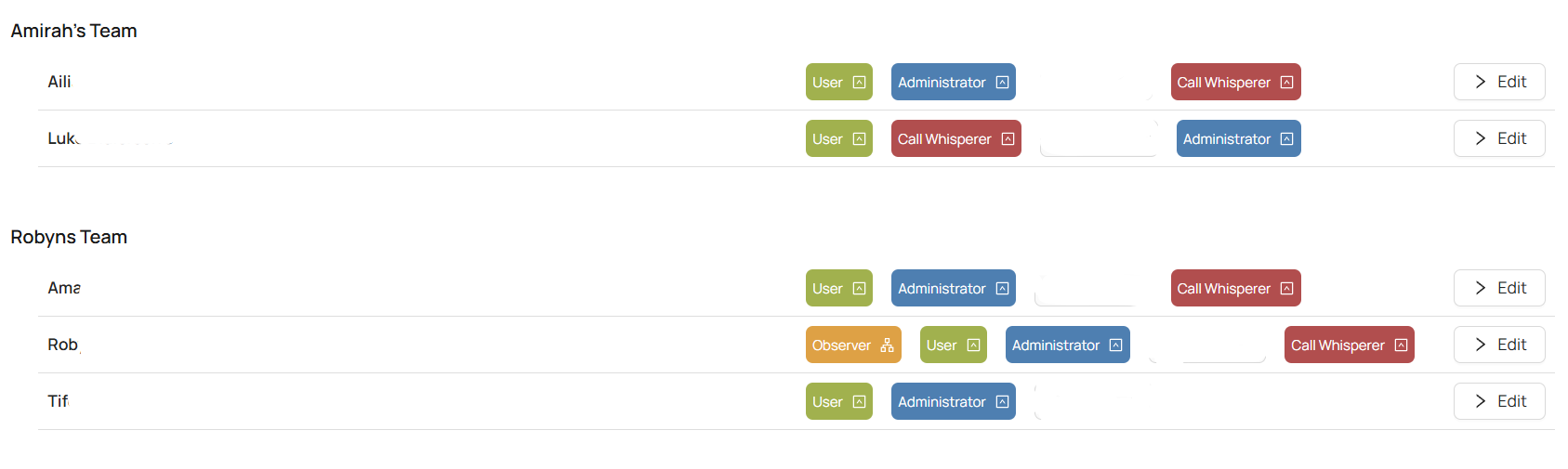
Clicking edit, will allow you to go through to that users web user page, where you can see a breakdown of which each role means, and allow you to assign additional roles dependant on the teams you have setup
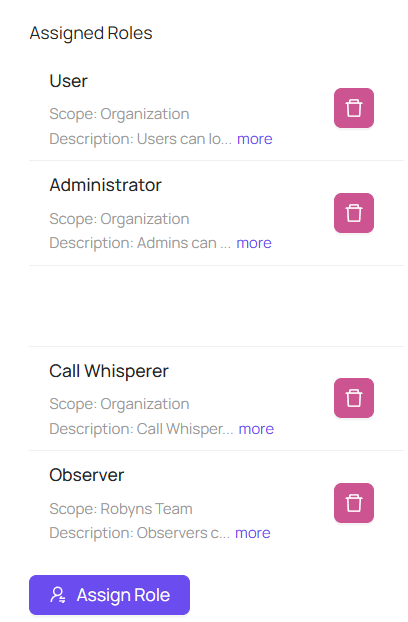
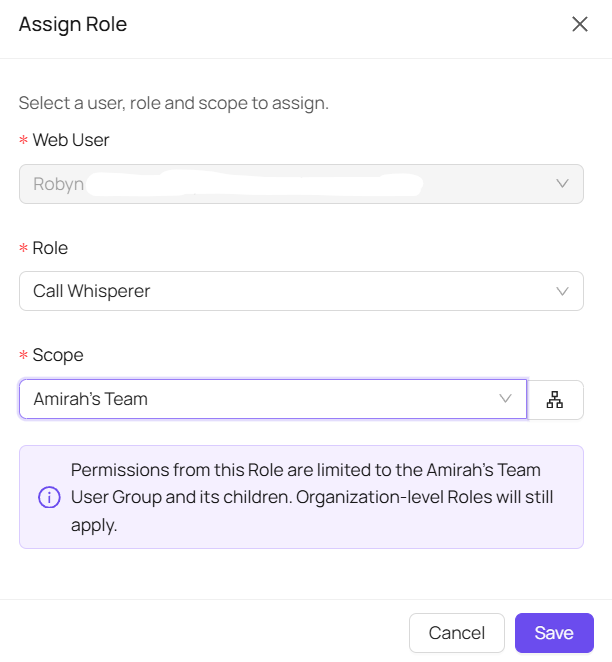
The roles available consist of:
User: They can login to their own portal and softphone
Administrator: Manage all organisation settings, call whisper to users, but their live calls are hidden and can't be whispered on.
Call Whisperer: Call whisperers can view, listen and whisper to live calls (except those which are hidden)
Observer: Observers can see the organisation and its users, but cannot update any settings
Hide Live Calls: Users with hidden live calls can't be listened to or whispered to by call whisperers or admins