Granting Access To The Admin Portal
Last updated: May 21, 2025
Please ensure the user you would like to grant admin access to already has an account. If they don't, please follow this guide first 📄 Add a new user to your organization
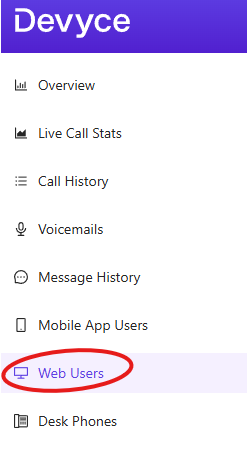
Go to the Web User tab in the admin portal http://portal.devyce.io/dashboard/web-users
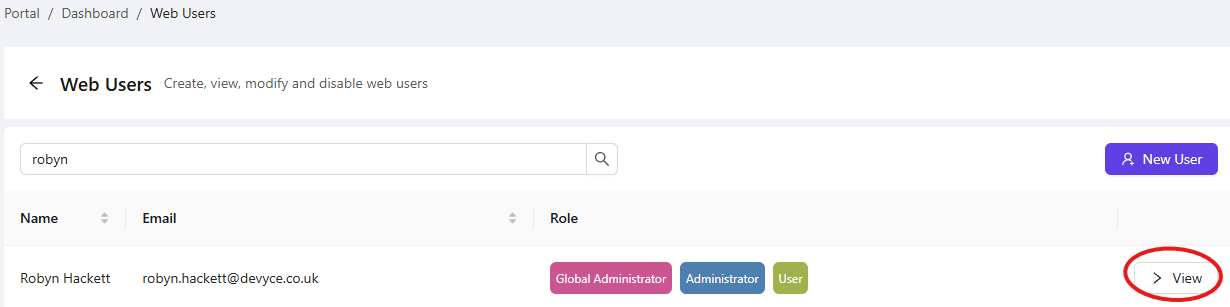
Search for the user, you are wanting to grant Admin Access, and click the view button
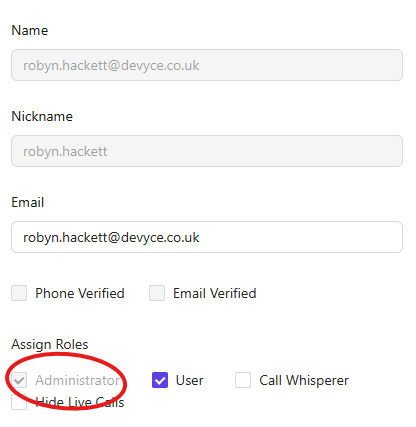
This will then take you to a separate user page, where you can assign the roles you require by ticking the relevant checkboxes
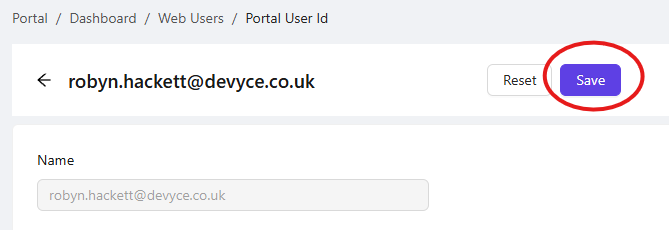
Once you have updated your user settings ensure you click the 'Save' button to submit your changes.
They should now have access to admin information on https://portal.devyce.io, if not please get them to refresh the page and if you experience further issue please reach out to our support team.