Assigning A New Number To An Existing User
Last updated: May 14, 2025
Your users need a number assigned to them in order to make and receive calls, but they can also have more than one number assigned to them
This can be useful if your user is making calls to multiple area codes or just want additional numbers for them to use such as a mobile number.
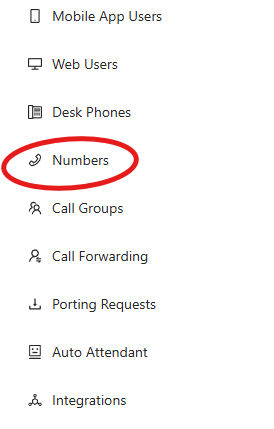
If you navigate to the Devyce Admin Portal, you need to click on the Numbers tab in the lefthand side toolbar https://portal.devyce.io/dashboard/numbers
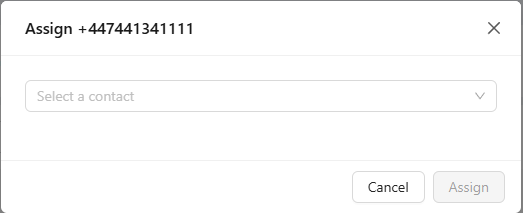
On this page you can see if you have any unassigned numbers, if you have any unassigned that are relevant to your needs you can assign this to them by clicking the assign button

This will then bring up a drop down menu where you can choose who to assign the number to.
If you don't have any unassigned numbers, you can add more to your account by clicking on the "Get more numbers" button
Search for the number (including the area code, ie: +44) you wish to add to the account, as well as how many numbers you would like to add.
This number would then be added to the account, and you can assign this to a user.
You can also assign numbers to Call Groups 📄 Create a Call Group and Auto Attendants📄 Create an Auto Attendant
If you want a very specific number please reach out to our Support team for assistance