Call Quality Issues
Last updated: October 15, 2025
Sometimes, you may experience some call quality issues, there can be a multitude of reasons for this, below are some ways you can problem solve these issues:
Navigate to your softphone call history - https://softphone.devyce.io/conversations/
Here you can find the call you experienced call quality issues on and find the recording if you have this enabled.

You can then listen back to the call, if your voice and side of the call is clear but the other callers isn't this usually indicates that the call quality issue is on the other callers side, and may be due to them being in a bad signal area.
You can also check your audio settings, as sometimes you may sound distant to the other caller, or have lots of background noise due to not having the correct speakers and microphone setup - you can ensure you're setup correctly with the steps here:
If you have confirmed the above reasons aren't the cause of the bad call quality you are experiencing you can also run a Network test, you can do that via your softphone
Navigate to your settings cog > Audio and you will see a button that states 'Run Test'
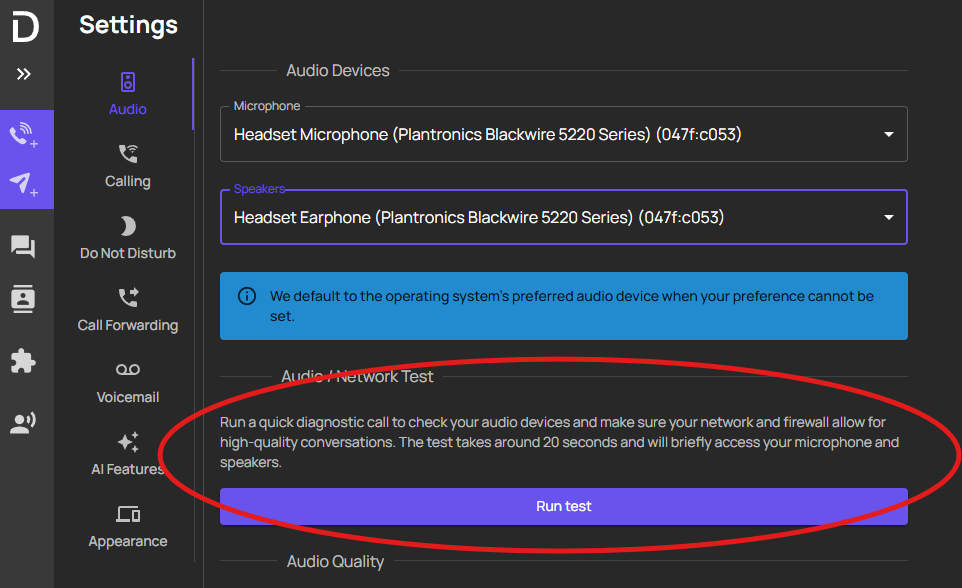
This will then run a network test for you, where you can then screenshot this, and send it to our support team
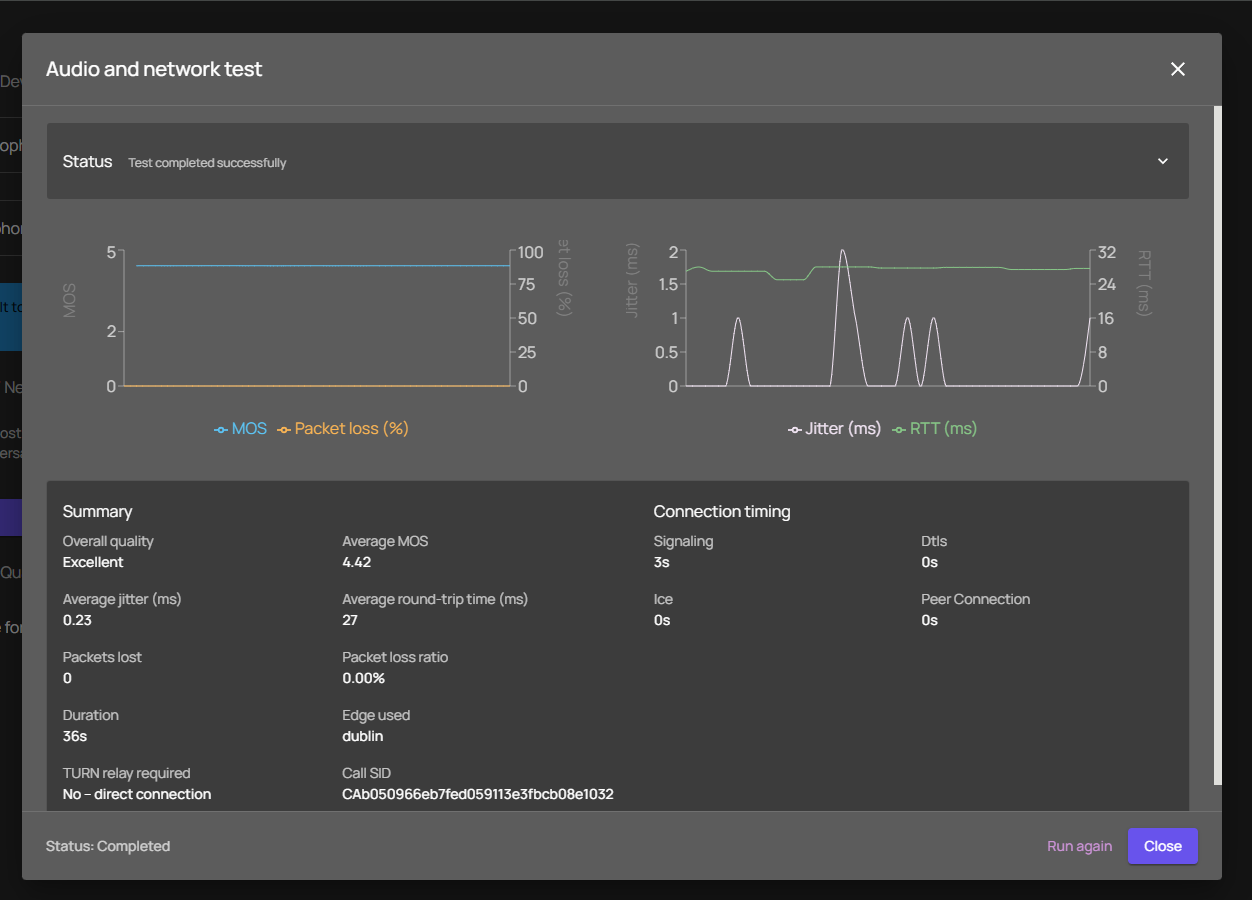
Once you have done this, you can then send the results to our support team along with the below information on the call you experienced the issue with (if this is an ongoing issue for you, the more examples the better)
Number Called:
Calling Number:
Date of Call:
Time of Call:
Issue Experienced with this Call:
Sending the above to support@devyce.com will allow us to investigate further for you.