How to Edit Call Group Working Hours
Last updated: May 14, 2026
Navigate to https://portal.devyce.io
Here you will see your weekly overview and on the left of the webpage a toolbar
Opening this toolbar, click on 'Call Groups' it will then open up your current call groups - if you do not have one setup yet, you can see how to do this here: https://devyce-knowledge-base.help.usepylon.com/articles/4536717687-creating-a-call-group
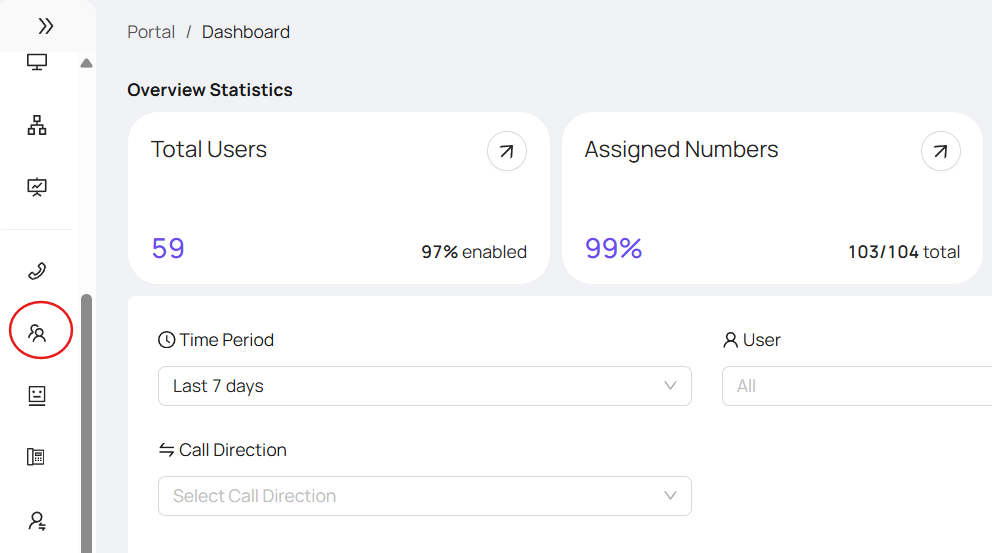
Pick the call group you are wishing to edit
Clicking the edit button will then open a pop up, showing your call group details such as group members and call handling, you need to click on 'Working Hours'
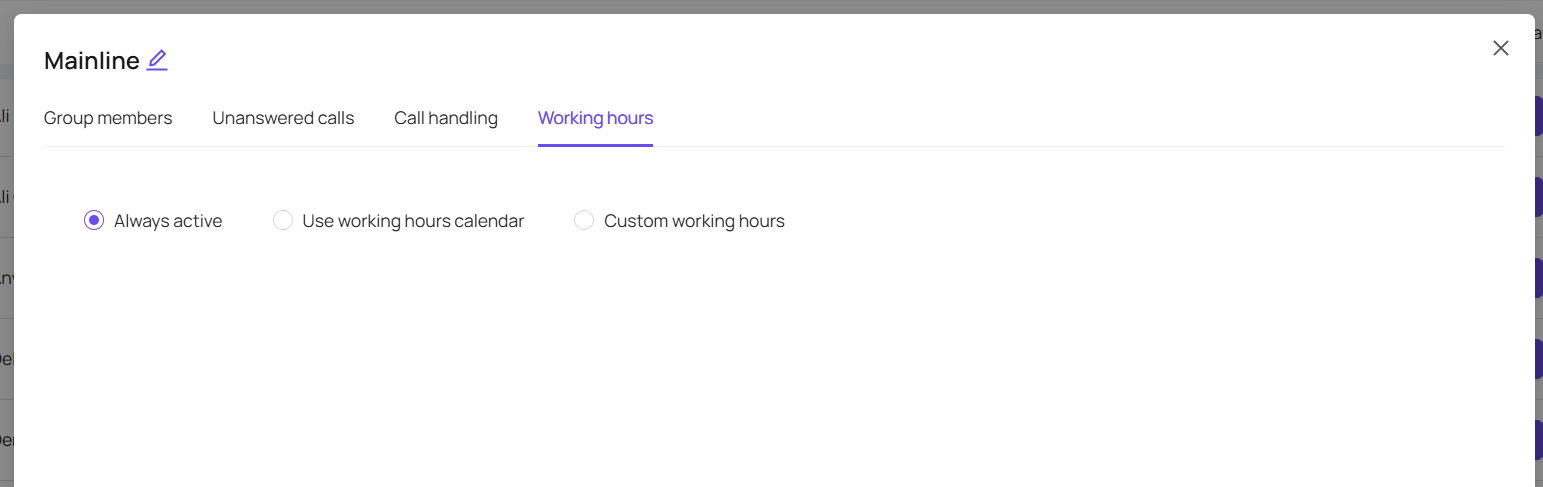
Clicking Custom Working hours allows you to set specific working hours for the calling group (these hours will only be valid for that calling group)
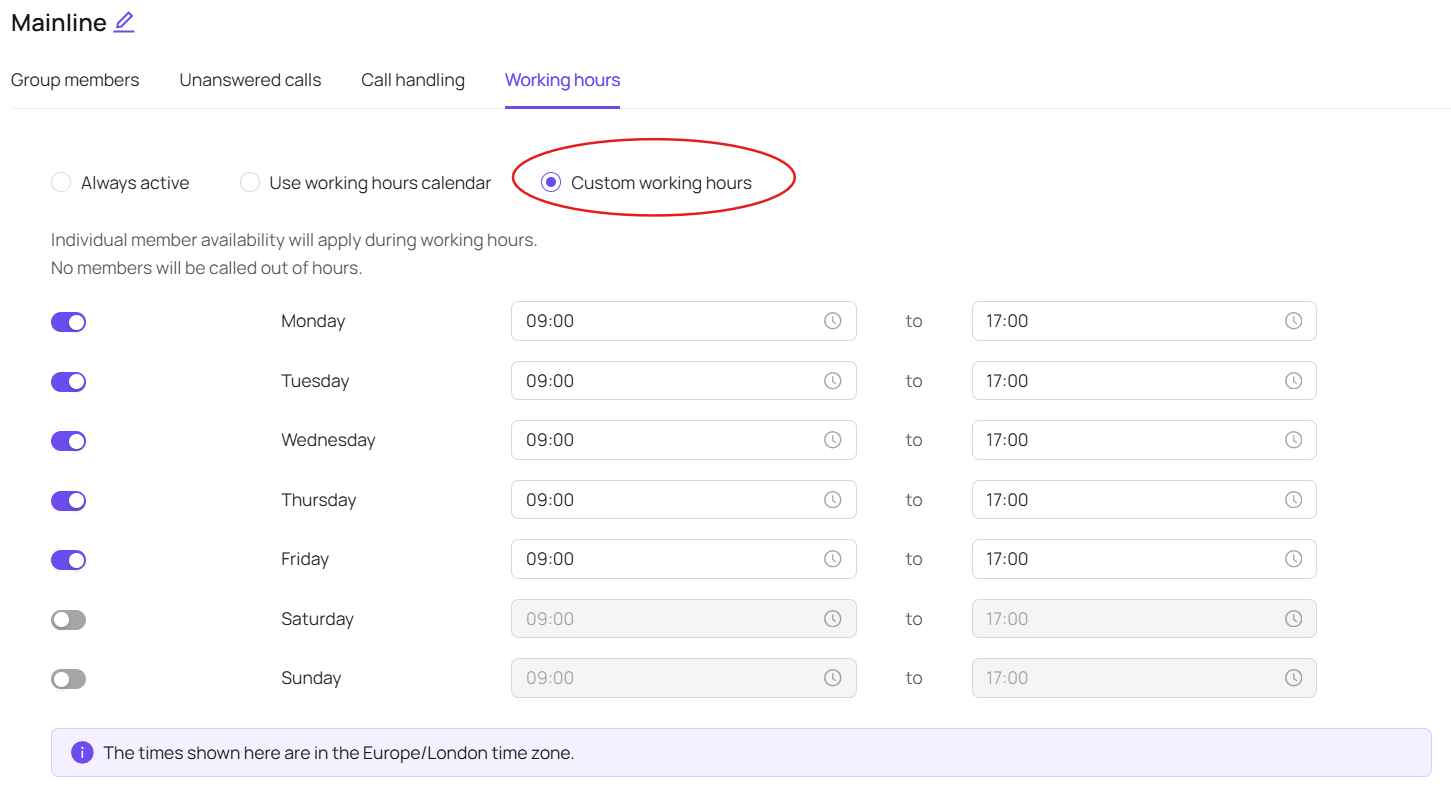
Set the weekly call group working hours as needed for you - Please note these hours are in GMT
Once you are happy with your working hours setup, click "Update" and your changes will be saved
Alternatively, you can choose for the Calling Group to be "Always Active" or "Use working hours calendar" - Always active will allow incoming calls always
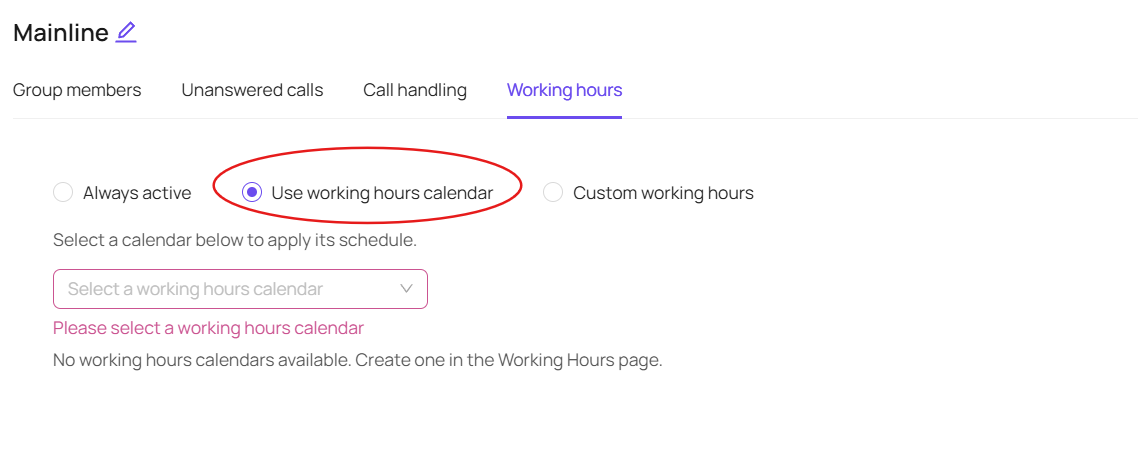
Your working hours calendar will use the hours you have set for these within your portal - you can see how to update these times here: https://devyce-knowledge-base.help.usepylon.com/articles/6740143256-how-to-configure-working-hour-exceptions-in-devyce