Getting setup on Giig Hire
Last updated: September 22, 2026
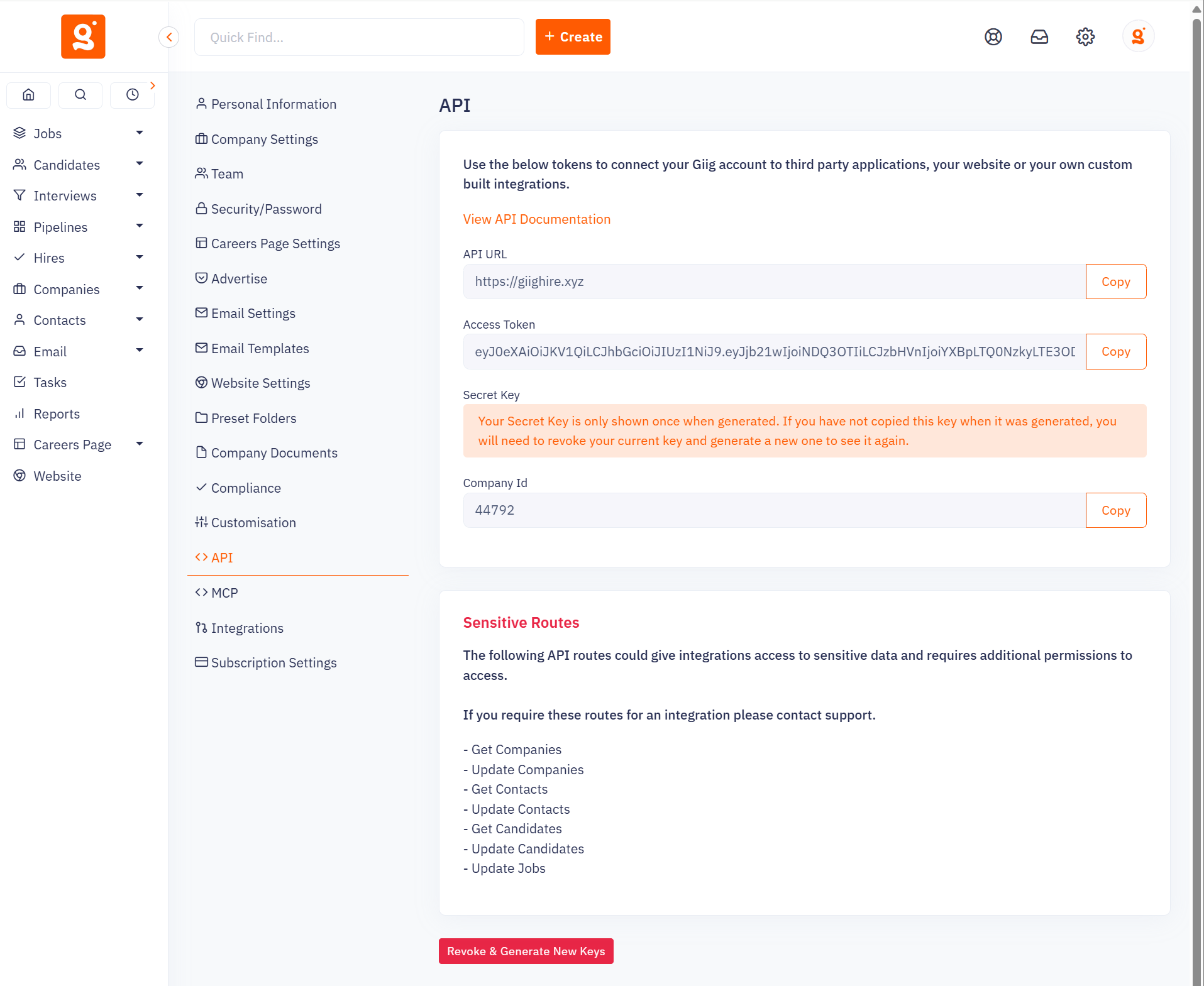
You need to generate an access token and secret Key within Giig’s settings:
Please note you will need to contact Giig support to grant your access token extra permissions as listed in the API page:
Navigate to the Integrations page on the Devyce Portal.
https://portal.devyce.io/dashboard/integrations
Locate the Giig Hire integration. Expand the "Configuration" section and input the Access Token and Secret Key. Click the connect button on the right hand side.
Once connected you will be able to sync:
Candidates and contacts
Calls, messages, Teams meetings
Call tags