Enabling Click to Dial with Tracker CRM
Last updated: June 18, 2026
Step1
Using google chrome install the extension from the chrome web store.
https://chromewebstore.google.com/detail/devyce-softphone-extensio/inpjhnjfkjaibkkpcdhibhiccnndljnf
Step 2
Once installed open a new Softphone tab in google chrome.
Step 3
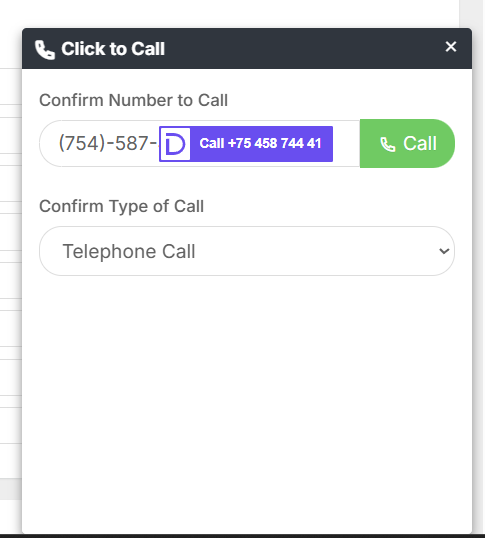
Open a Tracker tab in google chrome. Navigate to someone you would like to call and click a call button. This will open the Tacker calling modal.
On the modal hover over the "Call" button. A Devyce popover will appear indicating the phone number that will be dialed by the softphone when you click the "Call" button.
The call will be placed and the details captured in the Devyce platform will be synced after the call.