Getting setup on FireFish
Last updated: June 24, 2026
You can download our PDF Guide or follow the below steps
You need to generate an API Key using Firefish's portal. Navigate to the "Integrations" page found at Settings > Automations:
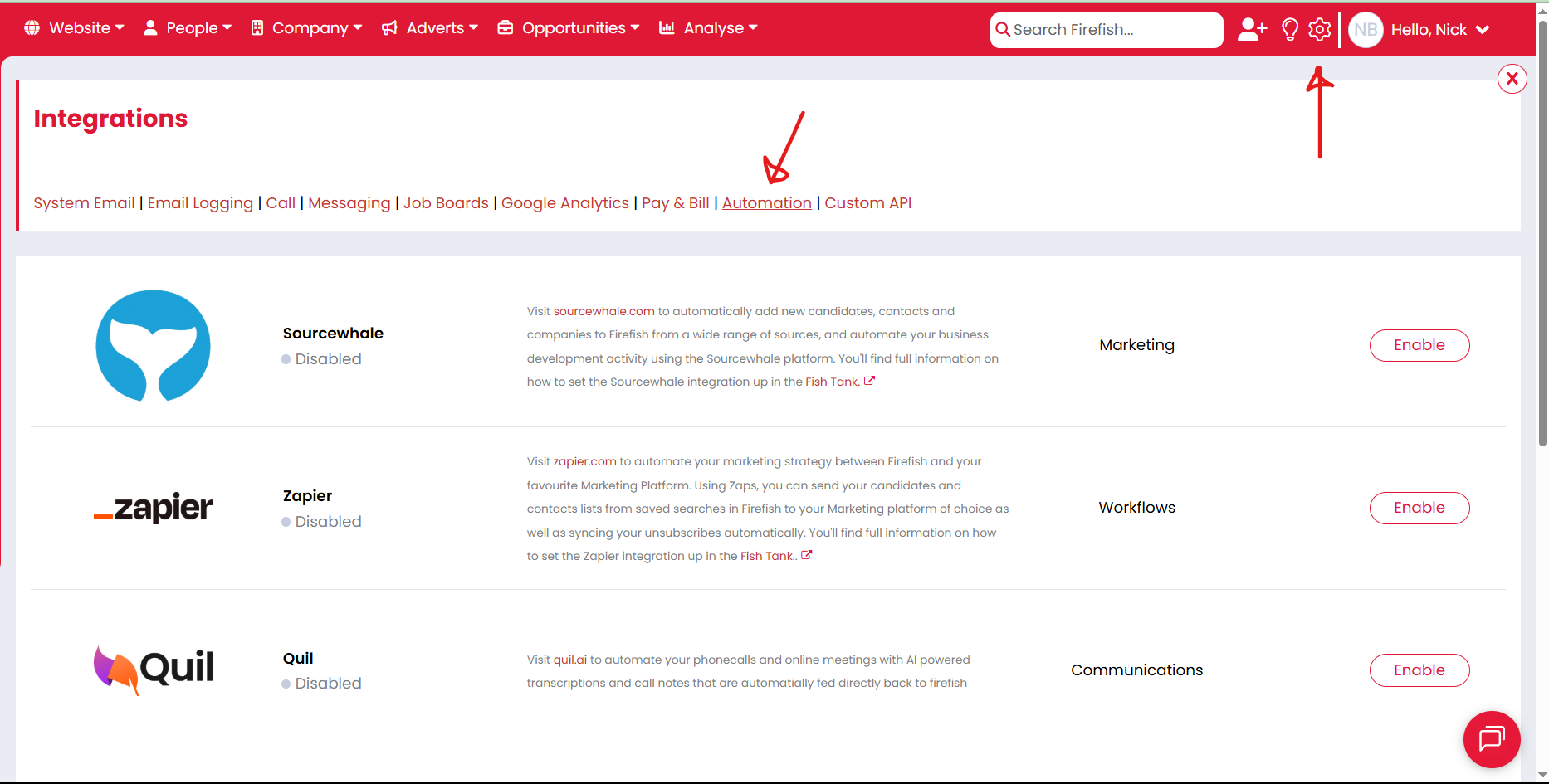
Locate the Devyce Integration and click the "Enable" button.
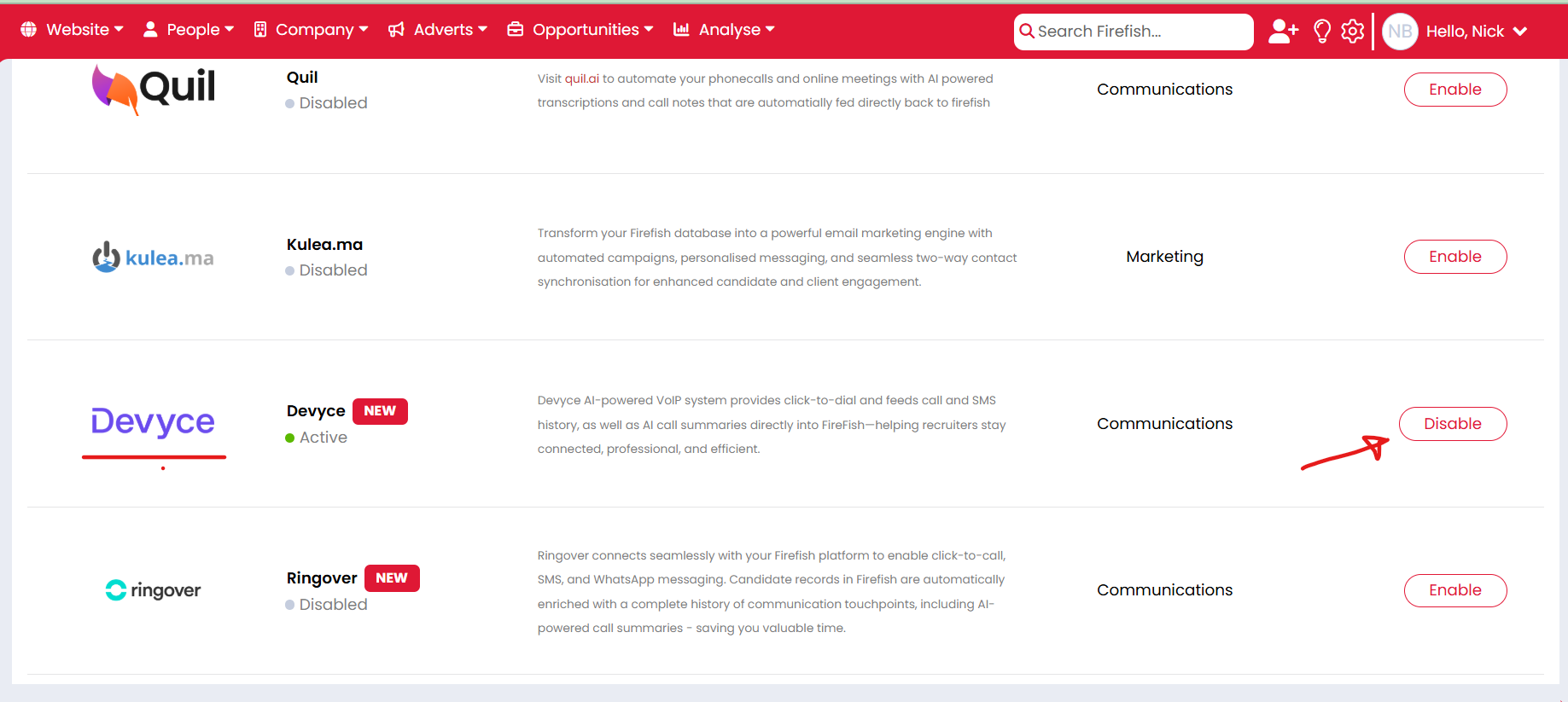
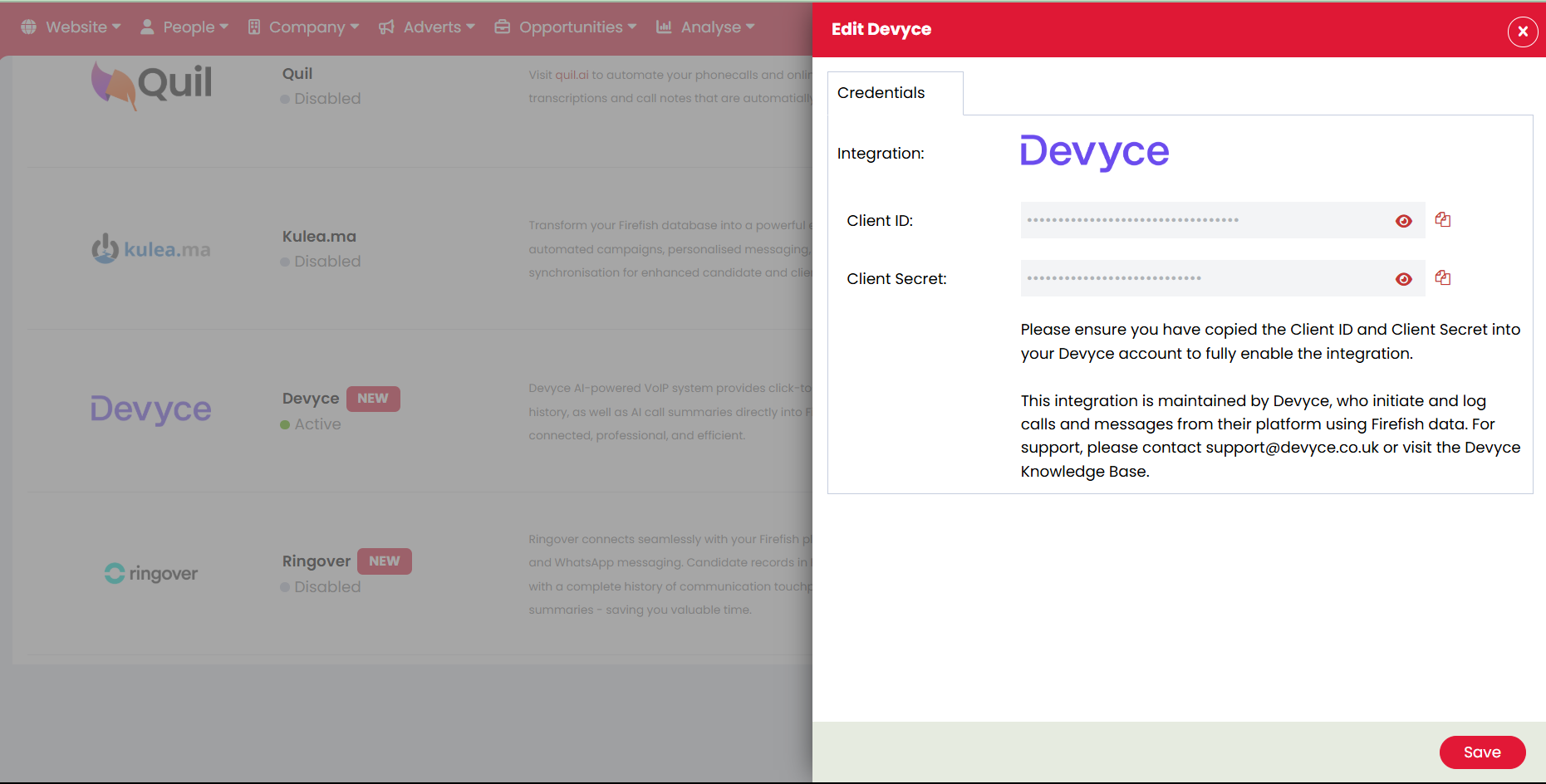
Once the "Enabled" button has changed to "Disable" the credentials will have ben generated. Click on the integration to open the side sliding panel and copy the ClientId and ClientSecret.
Navigate to the Integrations page on the Devyce Portal.
https://portal.devyce.io/dashboard/integrations
Locate the Firefish Integration. Expand the "Configuration" section and input the ClientId and ClientSecret. Click the connect button on the right hand side.